
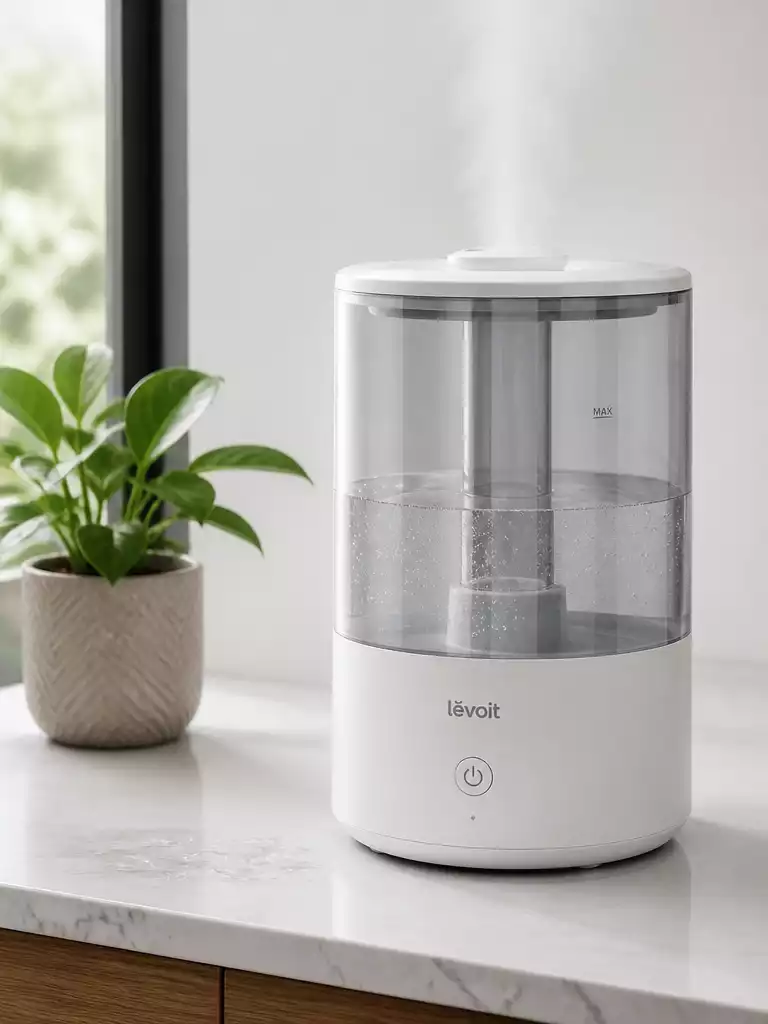
Have you ever experienced the frustration of a humidifier that simply won’t turn on after cleaning? You’re not alone! This common issue often arises from minor oversights, and understanding them is key to getting your humidifier back on track. Let’s explore the essential insights to troubleshoot and maintain your unit effectively.
What You Will Learn
- Common moisture-related issues can cause short circuits in your humidifier.
- Incorrectly reassembling parts after cleaning may prevent your humidifier from operating.
- Always check the power source and connections first when troubleshooting.
- Thoroughly dry your humidifier after cleaning to avoid moisture-related malfunctions.
- Refer to your user manual for correct reassembly to ensure proper function.
- Regular maintenance, including cleaning and descaling, is crucial for optimal performance.
- Using safe cleaning solutions like white vinegar helps maintain your humidifier without damage.
- Know when to seek professional help or consider replacing your humidifier if issues persist.
Troubleshooting Your Humidifier That Won’t Turn On After Cleaning
Finding that your humidifier won’t turn on after cleaning can be frustrating! There are several typical causes for this issue, including moisture-related problems and potential mistakes made during reassembly. In this guide, we’ll explore these common snags and help you get your humidifier back to working order.
As a small business owner who cares about your comfort and well-being, I want to ensure you can enjoy optimal humidity levels in your home or office. Understanding the reasons why your humidifier may not power on is the first step toward a solution!
Understanding the Common Issues After Cleaning
After a thorough cleaning of your humidifier, it’s not uncommon for it to experience some hiccups. Here are a few common issues that may arise:
- Moisture-related Issues: Excess moisture can linger around electronic components, causing short circuits.
- Reassembly Mistakes: Incorrectly reassembling parts may interfere with the humidifier’s operation.
Being aware of these common issues can save you time and headaches. Let’s dive deeper into how you can diagnose and resolve these problems effectively.
Immediate Steps to Diagnose Your Humidifier
Check the Power Source and Connections
The first thing you should do is ensure that your humidifier is receiving power. Check the outlet, power cord, and circuit breaker to confirm that everything is in order. A loose connection could easily be the culprit!
Make sure the power cord is securely plugged into the outlet, and inspect it for any signs of damage. Sometimes, a simple reset of the circuit breaker can do wonders!
Inspect for Moisture Issues
Next, let’s talk about moisture. If your humidifier has significant water residue inside, it’s essential to dry it out completely before turning it back on. Excess moisture can affect the electronic components, leading to malfunction.
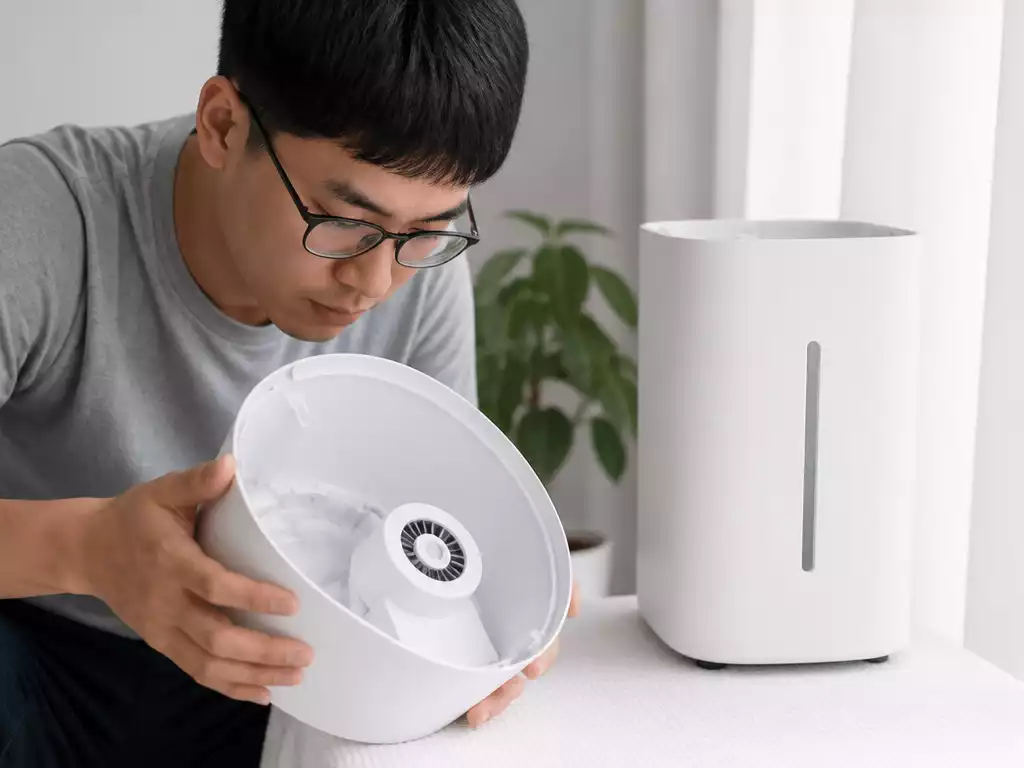
Take a moment to remove the water tank and wipe down any wet areas. Proper drying is key to ensuring your humidifier works efficiently. Remember, a little patience here can go a long way!
Reassembling the Humidifier Correctly
How to Correctly Seat the Water Tank
Reassembling your humidifier correctly is crucial. An improperly seated water tank can prevent the unit from turning on due to potential sensor and float issues. Make sure the tank is aligned properly and clicks into place—this is a common yet easily overlooked mistake!
It’s always a good idea to refer to your user manual for specific instructions on reassembly. Doing so ensures you don’t miss any important steps!
Identifying Sensor and Float Problems
One of the reasons your humidifier might not be responding is due to sensor issues. These sensors can get stuck or malfunction, especially if the unit has been cleaned recently. If you suspect this is the case, check the sensors for any visible damage or obstructions.
Additionally, ensure the float mechanism is functioning correctly. Sometimes, debris can interfere with its movement, causing the humidifier to remain off. Cleaning these components can resolve many common problems!
Maintaining Your Humidifier: Essential Practices
Cleaning Frequency and Best Practices
Now that we’ve tackled the troubleshooting steps, let’s talk about maintenance! Regular cleaning is essential to avoid issues down the line. I recommend cleaning your humidifier every few days during peak use, especially in the winter months.
Establishing a consistent cleaning routine can prevent mineral buildup and bacteria growth, ensuring your humidifier operates smoothly. It’s much easier to keep it clean than to fix it later!
Descaling Methods to Prevent Mineral Buildup
To maintain optimal performance, descaling your humidifier should be a priority. Hard water can lead to mineral buildup that impacts functionality. Using a vinegar solution is one of the most effective descaling methods!
By regularly descaling your unit, you can prolong its lifespan and keep it running efficiently. Remember, a well-maintained humidifier equals better air quality!
Utilizing the Right Cleaning Solutions
Finally, it’s crucial to use safe cleaning solutions. I always recommend using white vinegar, as it’s effective in killing bacteria and mold without damaging your unit. It’s a simple and natural way to keep your humidifier clean and safe for your home!
When cleaning, avoid harsh chemicals that can harm the humidifier’s parts. Stick to gentle solutions for the best results. Your humidifier will thank you!
When to Seek Professional Help or Replace Your Humidifier
While many issues can be resolved at home, there are times when seeking professional help is the best option. If your humidifier continues to show problems despite following the steps above, it may be time to contact customer support or consider a replacement.
Understanding when to take action can save you time and ensure you have a functional humidifier that enhances your indoor air quality!
Fast Recovery Checklist for Your Humidifier
If your humidifier won’t turn on after cleaning, here’s a quick checklist to help you recover:
- Check the power source and connections.
- Inspect for any moisture issues.
- Ensure the water tank is correctly seated.
- Identify and resolve any sensor or float problems.
- Clean regularly to prevent future issues.
Using this checklist can help you pinpoint the problem quickly and get your humidifier back to optimal performance in no time!
Frequently Asked Questions (FAQs)
- Q: Why won’t my humidifier turn on after cleaning?
- A: Common reasons include moisture affecting electronic components, incorrect reassembly of parts (like the water tank), or issues with sensors and floats after cleaning.
- Q: What should I check first if my humidifier isn’t turning on?
- A: Always start by checking the power source. Ensure the humidifier is securely plugged in, the outlet is working, and the circuit breaker hasn’t tripped. Also, inspect the power cord for damage.
- Q: How can moisture cause my humidifier to malfunction?
- A: Excess moisture can lead to short circuits in the electronic components. It’s crucial to thoroughly dry all parts of the humidifier after cleaning before reassembling and turning it back on.
- Q: What happens if the water tank isn’t seated correctly?
- A: An improperly seated water tank can prevent the humidifier from operating because it can interfere with internal sensors and floats designed to detect water levels and tank placement, thus preventing the unit from powering on.
- Q: How often should I clean my humidifier?
- A: It’s recommended to clean your humidifier every few days during peak use, especially in winter months, to prevent mineral buildup and bacteria growth.
- Q: What is the best way to descale my humidifier?
- A: Using a white vinegar solution is one of the most effective and safe methods for descaling your humidifier and preventing mineral buildup.
- Q: When should I consider professional help or replacing my humidifier?
- A: If you’ve followed all troubleshooting steps—checking power, drying components, correct reassembly, and cleaning sensors—and your humidifier still isn’t working, it might be time to contact customer support or consider replacing the unit.
We Want to Hear From You!
What challenges have you faced with your humidifier? Share your thoughts or experiences below:
Concluding Thoughts on Humidifier Troubleshooting
When your humidifier won’t turn on after cleaning, it can be frustrating. I’ve been there myself! To help you get back to enjoying a comfortable environment, let’s recap the key steps for diagnosing and resolving these issues. Start with checking your power source and connections, then inspect for any moisture-related problems. If those are clear, ensure that your humidifier is reassembled correctly, paying special attention to the tank and sensors.
Final Recommendations for Humidifier Maintenance
To keep your humidifier running smoothly, it’s essential to adopt good maintenance practices. Here are some final tips that I always recommend to my customers:
- Regularly check and replace filters to ensure clean airflow.
- Clean the unit at least once every two weeks, especially during heavy use.
- Inspect electrical components for any visible wear or damage.
- Follow the manufacturer’s guidelines for any specific maintenance instructions.
By following these simple practices, you can help prevent future issues and extend the life of your humidifier. Remember, a little maintenance goes a long way in keeping your home comfortable!
Understanding the Role of Humidity Levels in Indoor Air Quality
It’s important to recognize how maintaining proper humidity levels can significantly impact indoor air quality. In my experience, when humidity is too low, it can lead to dry skin, irritated sinuses, and even respiratory issues. Conversely, excessive humidity can foster mold growth and allergens, making it harder to breathe comfortably.
Here are some effects of proper humidity levels:
- Reduces allergens and irritants in the air.
- Improves overall comfort by balancing temperature.
- Helps preserve wooden furniture and prevents static electricity.
By keeping your humidifier in good shape and regularly monitoring humidity levels, you can create a healthier and more enjoyable living space.
Engage with Us for More Humidifier Tips
Your experiences matter to us! If you have any questions or stories about your humidifier issues, please share them in the comments. We love hearing from our community and are here to provide advice or troubleshoot any problems you might encounter. Let’s keep the conversation going — together, we can ensure you and your family enjoy the best indoor air quality possible!
Recap of Key Points
Here is a quick recap of the important points discussed in the article:
- Check the power source and connections to ensure your humidifier is receiving power.
- Inspect for moisture issues and ensure the unit is completely dry before turning it on.
- Reassemble the humidifier correctly, making sure the water tank is seated properly.
- Identify and clean any sensor or float problems that may prevent operation.
- Maintain your humidifier with regular cleaning and descaling to prevent future issues.
- Use safe cleaning solutions like white vinegar to keep your humidifier in good condition.
- Seek professional help if problems persist despite following troubleshooting steps.




Pingback: AquaOasis Humidifier Not Working? Troubleshooting Guide
Pingback: govee humidifier not working
Pingback: holmes humidifier not working
Pingback: walgreens humidifier not working