
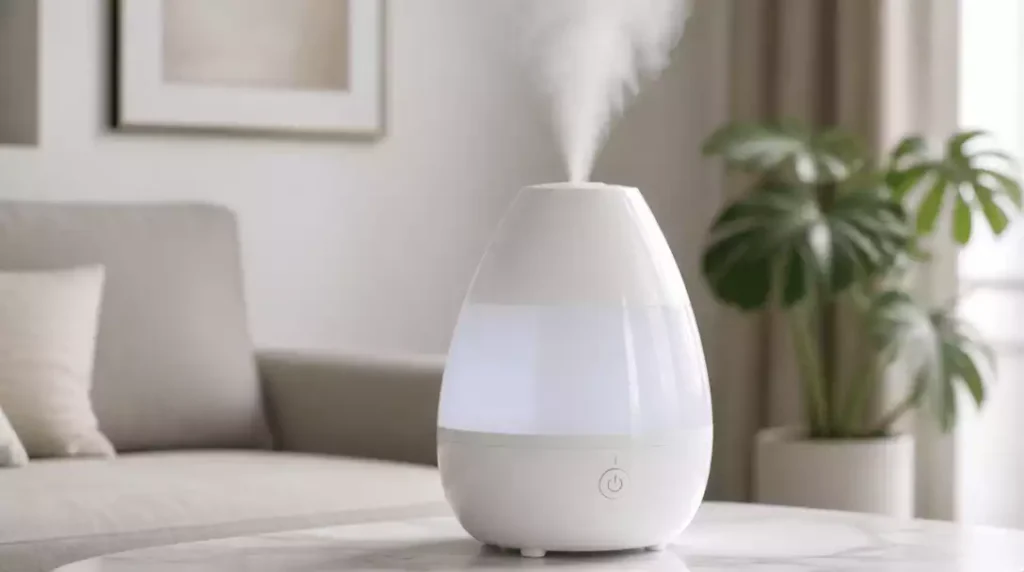
Regular maintenance of your humidifier is key to avoiding frustration and ensuring optimal performance. With the right knowledge and practices, you can keep your Crane humidifier running smoothly and efficiently. Here’s what you will learn from this article.
What You Will Learn
- Identify common signs of humidifier issues, such as weak mist output or unusual noises.
- Diagnose performance issues by checking power supply, water levels, and potential mineral buildup.
- Implement effective troubleshooting steps to address “no steam” problems.
- Establish a regular cleaning and maintenance schedule to prolong your humidifier’s lifespan.
- Utilize filters and understand the importance of humidity levels for enhanced operation.
- Explore safety features and energy efficiency modes specific to Crane humidifiers.
Your Crane Humidifier: Why It Might Not Be Steaming
Dealing with a humidifier that’s not producing steam can be frustrating. If you’re noticing a lack of mist or weak output, it’s crucial to identify those signs early. Here are some common symptoms you might encounter:
- No visible mist or steam
- Weak or intermittent mist output
- Unusual noises from the humidifier
Recognizing these signs can help you address the issue before it escalates. If you notice any of these symptoms, don’t panic! Let’s dive deeper into diagnosing your humidifier’s performance.
Diagnosing Your Humidifier’s Performance Issues
To get to the root of the problem, it’s essential to evaluate how your humidifier is functioning. Start by checking a few key factors:
- Power source and settings
- Water levels and tank positioning
- Mineral buildup inside the unit
By systematically assessing these components, you can pinpoint performance issues effectively. If everything checks out and you’re still having troubles, we might need to explore some troubleshooting steps together!
Troubleshooting Steps to Diagnose “No Steam” Issues
Checking the Power Supply and Settings
Your humidifier requires a stable power supply to operate correctly. Start by ensuring that it’s plugged in and the settings are configured properly:
- Verify that the power cord is intact and securely connected.
- Check the settings to see if the humidifier is set to “on.”
- Look for any timers or auto shut-off features that might affect performance.
Once you’ve confirmed these factors, you should see some improvement in operation. But let’s take a closer look at the power indicator light next!
Inspecting the Power Indicator Light
The power indicator light serves as a quick reference for your humidifier’s status. If it’s off, this could indicate a power issue. Here’s what you can do:
- Check your outlet to make sure it’s working.
- Try a different power cord if possible.
- Reset the humidifier by unplugging it for a few minutes before plugging it back in.
Once the power light is back on, your humidifier should start functioning as expected. If not, we’ll need to dig deeper into other potential issues.
Evaluating Water Levels and Tank Positioning
Proper water levels are essential for your humidifier to produce mist effectively. Make sure that your tank is filled to the recommended level and positioned correctly:
- Fill the tank with distilled water to avoid mineral buildup.
- Ensure the tank is seated properly in its base.
- Look for any signs of leaks or blockages.
Maintaining optimal water levels can significantly enhance the performance of your humidifier. If your unit still struggles after checking these factors, let’s look into overfill and underfill issues next.
Identifying Overfill and Underfill Issues
Both overfilling and underfilling can cause problems with mist production. Here’s how to check for these issues:
- For overfill: Look for water leakage or a tank that feels excessively heavy.
- For underfill: Ensure there is enough water for the humidifier to create steam.
Once you’ve addressed any filling issues, your humidifier should start producing mist again. If the problem persists, we’ll need to consider other aspects like mineral buildup.
Addressing Mineral Buildup and Clogged Parts
Mineral deposits can accumulate over time and hinder your humidifier’s performance. To tackle this, follow these steps:
- Inspect the water tank and base for any visible mineral buildup.
- Use a mixture of vinegar and water to clean the affected areas regularly.
- Check the nebulizer for clogs.
Cleaning these parts can greatly improve your humidifier’s functionality. Don’t forget to keep an eye on those sensors as well!
Cleaning Sensors and Nebulizers
Here’s a simple guide to ensure your humidifier continues to run smoothly:
- Unplug the humidifier before cleaning.
- Use a soft cloth or brush to gently clean the sensors.
- Rinse everything thoroughly and let it dry before reassembling.
Regular maintenance will not only help your humidifier perform better but also prolong its lifespan! Lastly, let’s discuss how humidity levels affect operation.
Understanding Humidity Levels for Effective Operation
Maintaining the right humidity level in your home is crucial. Ideally, you want to keep indoor humidity between 30% and 50%. Here’s why:
- Improves air quality and comfort.
- Reduces the likelihood of mold and dust mites.
- Enhances the effectiveness of your humidifier.
Monitoring humidity levels not only benefits your health but also ensures that your humidifier works efficiently. If you’re still experiencing issues, consider reaching out for professional help!
Pro Tip
Did you know? Regularly changing the water in your humidifier can significantly improve its performance. Stale water can lead to bacteria growth and mineral buildup, which diminishes mist output. Aim to replace the water daily, especially in high-use seasons!
Frequently Asked Questions (FAQs)
Here are some common questions about Crane humidifiers and their performance:
- Why is my Crane humidifier not producing mist?
Common reasons include issues with the power supply, incorrect water levels, mineral buildup, or clogged parts like the nebulizer or sensors. - How often should I clean my Crane humidifier?
It is recommended to clean your humidifier weekly to prevent mineral buildup, mold, and algae, ensuring optimal performance and hygiene. - What type of water should I use in my humidifier?
Using distilled water is highly recommended to prevent mineral buildup and extend the lifespan of your humidifier. - Can I use essential oils in my Crane humidifier?
Some Crane models are compatible with essential oils. Always check your humidifier’s manual or manufacturer’s instructions before adding oils to avoid damage. - What are the ideal humidity levels for my home?
Maintaining indoor humidity between 30% and 50% is ideal for improving air quality, comfort, and reducing the presence of mold and dust mites.
Maintaining Your Crane Humidifier for Optimal Performance
Keeping your Crane humidifier running smoothly is essential for a comfortable living environment. Regular maintenance not only extends the lifespan of the device but also ensures consistent steam production. Let’s dive into some effective maintenance strategies!
Establishing a Regular Cleaning and Maintenance Schedule
Creating a cleaning routine is key to avoiding buildup and ensuring your humidifier operates efficiently. Aim for a schedule that fits your lifestyle to make maintenance a habit!
- Clean your humidifier once a week to prevent mineral buildup. You can learn more about how to clean a humidifier effectively.
- Replace filters every month if applicable.
- Check the water tank for any signs of algae or mold regularly.
By following these guidelines, you can help your Crane humidifier perform at its best. Trust me; a little effort goes a long way!
Understanding the Importance of Weekly Maintenance
Weekly maintenance is not just an option; it’s a necessity! Neglecting this can lead to problems like reduced mist output or even complete failure of your humidifier.
- Regularly change the water to keep it fresh.
- Wipe down the exterior to remove dust and prevent dirt buildup.
- Inspect components like the filter and nebulizer for any issues. If your humidifier is experiencing issues, you might find valuable insights on how to fix a humidifier.
A consistent maintenance routine can help you avoid unexpected hassles and keep your indoor air quality fresh and healthy.
Utilizing Filters and Essential Oils for Enhanced Functionality
Filters can play a crucial role in how well your humidifier operates. They help to trap impurities and ensure that only clean, vaporized water is released into the air.
- Choose the right filter for your specific Crane model.
- Consider using essential oils, but ensure they are compatible with your humidifier.
- Always follow the manufacturer’s instructions for adding oils to avoid damage. For those interested in understanding the basic principles, explore how a humidifier works.
By combining filters with essential oils, you can create a pleasant atmosphere while keeping your humidifier in top shape!
Exploring Safety Features and Energy Efficiency
Crane humidifiers are designed with safety and energy efficiency in mind. Understanding these features can help you operate your humidifier safely and effectively.
- Automatic shut-off to prevent overheating.
- Energy-efficient modes that save on electricity costs.
- Indicator lights that alert you when maintenance is needed.
These features not only protect your device but also enhance your peace of mind while using it. It’s great to know that safety and efficiency go hand in hand!
Recap of Key Points
Here is a quick recap of the important points discussed in the article:
- Identify common symptoms of a humidifier not producing steam, such as no mist or unusual noises.
- Check the power supply, water levels, and for mineral buildup to diagnose performance issues.
- Regularly clean and maintain the humidifier to prevent mineral accumulation and ensure optimal performance.
- Maintain humidity levels between 30% and 50% for effective operation and improved air quality.
- Utilize filters and compatible essential oils to enhance the functionality and atmosphere of your humidifier.
- Understand safety features like automatic shut-off to ensure safe operation and energy efficiency.




Pingback: How to Reset a Crane Humidifier: Complete Guide