
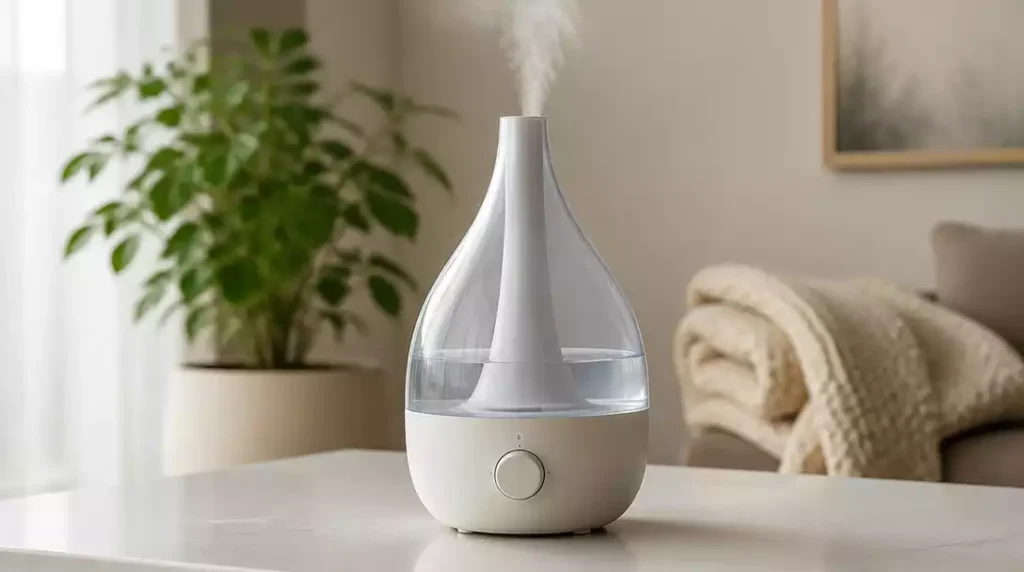
Have you ever struggled to maintain a comfortable atmosphere at home due to a malfunctioning humidifier? Knowing how to troubleshoot common issues can save you time and ensure your space remains cozy!
What You Will Learn
- Identify common reasons for no mist output and how to resolve them.
- Learn the significance of checking the water level and maintaining water quality for optimal performance.
- Understand the importance of regular cleaning and maintenance to prevent buildup and ensure longevity.
- Discover steps to reset your humidifier effectively when issues persist.
- Know when to escalate issues by contacting customer support or gathering evidence for warranty claims.
Troubleshooting Your Frida Humidifier: Common Issues and Solutions
If your Frida Humidifier isn’t performing as expected, it can be quite frustrating. Let’s dive into the common issues you might face and how to address them effectively. Knowing what to check first can save you time and keep your space comfortable!
Symptoms: Why Isn’t Your Frida Humidifier Working?
No Mist Output: Causes and Fixes
One of the most common issues is the lack of mist output. This can happen for several reasons, and you can usually troubleshoot it without much hassle. Here are some of the main causes:
- Water tank is empty or poorly seated
- Clogged transducer or nebulizer
- Incorrect settings on the humidifier
To fix the no mist output issue, start by ensuring the water tank is filled and properly placed. If that doesn’t work, clean the transducer and nebulizer to remove any buildup that may be obstructing mist production. For more detailed instructions on resolving misting problems, you might find our guide on Dreo humidifier not misting helpful, as many troubleshooting steps are universally applicable.

What to Do When the Light is Blinking
A blinking light on your Frida Humidifier often indicates that it needs attention. This could mean different things depending on the model, but common reasons include:
- Low water level
- Dirty filters
- Need for reset
First, check the water level and refill if necessary. If the light continues to blink, it might be time to clean or replace the filter!
Essential Checks Before Diving into Repairs
Checking Power Supply and Connections
Before assuming a more serious problem, it’s crucial to check the power supply. Make sure the humidifier is plugged in securely and that your outlet is functioning. If you have a voltage tester, that can be a handy tool to ensure everything is working!
- Inspect the power cord for any visible damage
- Try plugging it into a different outlet
These simple checks can save you from unnecessary repairs and give you peace of mind!
Water Level: Ensuring Optimal Operation
Having the right water level is vital for your humidifier to work effectively. Make it a habit to check the water level regularly. If it’s too low, not only will it stop producing mist, but it can also lead to other issues!
- Fill the tank to the recommended level
- Check for leaks or blockages
By ensuring your water tank is full, you’ll help your humidifier function smoothly!
Evaluating Water Quality for Better Performance
The quality of water you use can significantly impact your humidifier’s performance. Hard water can lead to mineral buildup, which affects mist output and can even damage the unit over time. Consider using distilled or purified water to avoid these problems.
- Switch to distilled water to minimize mineral buildup
- Regularly descaling your humidifier
Taking care of your water quality can enhance your humidifier’s efficiency and lifespan!
Cleaning and Maintenance Tips for Your Frida Humidifier
How to Clean the Transducer and Nebulizer
To keep your Frida Humidifier running smoothly, regular cleaning is key. The transducer and nebulizer are particularly important components that require attention. Here’s how to clean them:
- Unplug the humidifier and remove the water tank
- Use a soft brush to gently clean the transducer
- Rinse the nebulizer with warm water
Regular cleaning will not only improve performance but also prevent mold and bacteria buildup!
Preventing Mineral Buildup: Best Practices
To prevent mineral buildup, always start with the right water. Here are some best practices to follow:
- Use distilled water instead of tap water
- Clean your humidifier at least once a week
These practices are vital to maintaining a healthy indoor environment and prolonging the life of your humidifier!
Understanding Filter Replacement and Maintenance
Filters play a significant role in ensuring your humidifier operates effectively. Make sure you’re aware of the type of filter your model uses and when it needs to be replaced. Here’s a quick checklist:
- Check the filter condition monthly
- Replace filters based on the manufacturer’s guidelines
Keeping the filter fresh helps with air quality and the overall efficiency of your humidifier!
Using a Descaling Solution for Effective Cleaning
If you notice a lot of mineral deposits, using a descaling solution can be very effective. Here’s how to use one:
- Follow the instructions by the manufacturer for the solution
- Run a descaling cycle before your regular cleaning
This step can greatly help to maintain your humidifier and keep it running like new!
Resetting Your Humidifier: Step-by-Step Guide
How to Properly Reset Your Frida Humidifier
If your humidifier is acting up even after you’ve checked everything, a reset might be necessary. To reset your Frida Humidifier:
- Unplug the device from the power source
- Wait for about 30 seconds
- Plug it back in and turn it on
A reset can clear minor glitches that may be affecting performance! If you’re encountering persistent issues even after a reset, our article on humidifier won’t turn on after cleaning offers additional insights that might be relevant.
Timing and Placement for Effective Reset
Timing matters when it comes to resetting your humidifier. For the best results, try resetting it during off-peak hours. Additionally, make sure it’s placed on a flat surface with adequate space around it to allow for proper airflow.
- Choose a time when the humidifier is not in use
- Ensure there are no obstructions around the unit
Proper placement alongside a reset enhances the chances of optimal performance!
Adjusting Humidifier Settings for Optimal Performance
After resetting, it’s essential to check the settings on your humidifier. Make sure they align with your preferences and the current weather conditions. Here’s what to look out for:
- Adjust humidity levels according to your space
- Set the fan speed if applicable
Fine-tuning your settings helps in achieving the most comfortable environment!
When DIY Fixes Aren’t Enough: Understanding Escalation Options
Identifying Electrical vs. Sensor Issues
If you’ve tried all troubleshooting methods and your humidifier is still not functioning, it might be time to assess whether the issue is electrical or sensor-related. Electrical problems usually involve the power supply, while sensor issues might lead to erratic behavior.
- Look for signs of wear on electrical components
- Consider if the sensors are clean and functioning
Identifying the right type of issue can help you decide on the next steps!
Gathering Evidence for Warranty Claims
If you find that your humidifier is malfunctioning due to a manufacturing defect, it may be covered under warranty. Gather all relevant information such as:
- Purchase receipts
- Any photographs or documentation of the issue
Having this information ready can streamline the warranty claim process!
Contacting Customer Support for Advanced Troubleshooting
If all else fails, don’t hesitate to reach out to customer support. They can provide advanced troubleshooting tips and guide you on the next steps.
- Visit the official Frida website for contact options
- Be prepared with your model number and a description of the issue
Customer support can be a valuable resource in resolving persistent problems!
Pro Tip
Did you know? Regularly changing the water in your Frida Humidifier can significantly enhance its performance. Stale water can lead to bacteria growth and decreased mist output. Aim to change the water daily to keep your humidifier running efficiently and to maintain a healthy environment in your home!
Frequently Asked Questions About Frida Humidifier Troubleshooting
Here are some common questions about troubleshooting your Frida Humidifier, based on the information discussed in this article.
- Q: Why is my Frida Humidifier not producing mist?
- A: Common reasons include an empty or poorly seated water tank, a clogged transducer or nebulizer, or incorrect settings. Ensure the tank is full and properly placed, and clean the transducer and nebulizer regularly.
- Q: What does a blinking light on my Frida Humidifier indicate?
- A: A blinking light often signals a low water level, dirty filters, or the need for a reset. Check the water level first, and if it persists, consider cleaning or replacing the filter.
- Q: How often should I clean my Frida Humidifier?
- A: For optimal performance and to prevent mineral buildup and bacteria growth, it’s recommended to clean your humidifier at least once a week. Use distilled water to minimize mineral deposits.
- Q: Can I use tap water in my Frida Humidifier?
- A: While you can use tap water, it’s highly recommended to use distilled or purified water. Hard tap water can lead to significant mineral buildup, which can affect performance and potentially damage the unit over time.
- Q: How do I reset my Frida Humidifier?
- A: To reset your Frida Humidifier, unplug it from the power source, wait for about 30 seconds, then plug it back in and turn it on. This can help clear minor glitches.
Wrapping Up: Ensuring Your Frida Humidifier Works Efficiently
After tackling common issues and solutions for your Frida Humidifier, it’s essential to ensure that it operates at its best. Regular maintenance and troubleshooting can save you time and keep your home comfortable. Here’s a quick recap of the troubleshooting steps we covered:
Summary of Troubleshooting Steps
- Check the power supply and connections to ensure everything is plugged in properly.
- Evaluate the water level and quality to facilitate optimal mist output.
- Clean the transducer and nebulizer regularly to prevent clogs.
- Reset the humidifier if issues persist after basic checks.
- Contact Frida support if DIY fixes aren’t enough.
These steps will help keep your humidifier running smoothly and efficiently. If you notice any recurring issues, don’t hesitate to follow the escalation options provided earlier to ensure your Frida Humidifier serves you well! For continuous learning on humidifier care, explore our general guide on how to clean a humidifier to maintain its longevity and effectiveness.
Contacting Frida Support: When and How to Get Help
If your humidifier continues to give you trouble, reaching out to Frida Support can be the best way to get personalized assistance. Here are a few pointers on how to approach this:
Understanding Warranty Information and Coverage
- Check your warranty documentation for coverage details.
- Gather receipts and purchase information for proof of purchase.
- Note any troubleshooting steps you’ve already taken before contacting support.
Being prepared with this information will streamline your experience and help the support team assist you more effectively.
Exploring User Reviews for Common Experiences
Before reaching out, it might be helpful to browse through user reviews. Many customers share their experiences and solutions that could resonate with your situation. You can:
- Visit online forums and customer review sections.
- Join social media groups focused on Frida products.
- Read through FAQs on the Frida website for additional insights.
Engaging with the community can often provide additional tips and tricks that might just solve your humidifier issues!
Recap of Key Points
Here is a quick recap of the important points discussed in the article:
- Ensure the water tank is filled and properly seated to prevent no mist output.
- Regularly check and clean the filters to avoid blinking lights and performance issues.
- Inspect the power supply and connections before diving into deeper troubleshooting.
- Use distilled water to minimize mineral buildup and enhance performance.
- Perform regular cleaning of the transducer and nebulizer to maintain efficiency.
- Reset the humidifier when issues persist, ensuring proper timing and placement.
- Contact Frida support if DIY fixes do not resolve the problem.




Pingback: frida humidifier light not working
Pingback: how to fill frida humidifier