
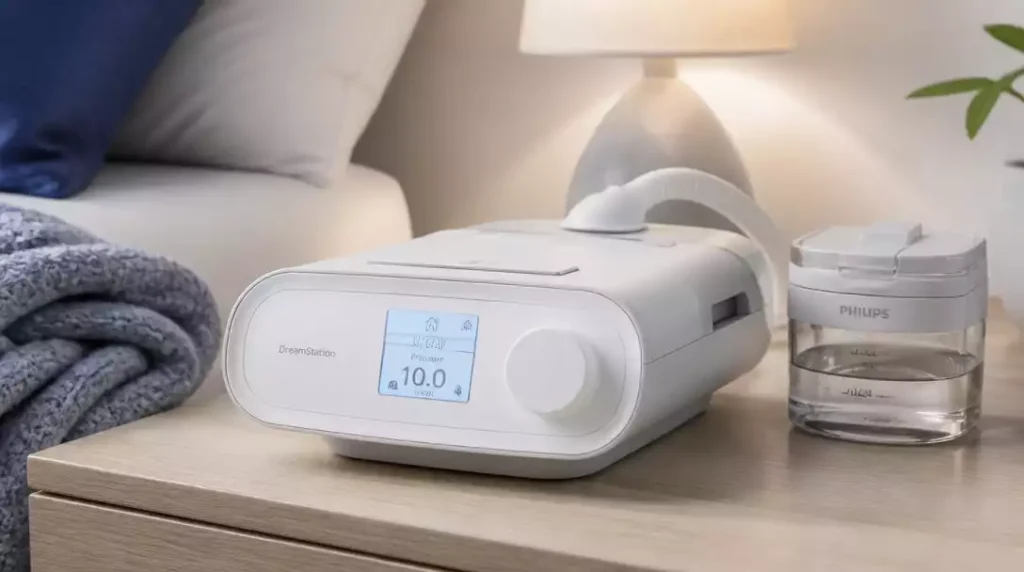
Have you ever wondered how a simple addition to your CPAP setup could enhance your sleep experience? The DreamStation Humidifier not only provides comfort but significantly improves the effectiveness of your therapy.
What You Will Learn
- The DreamStation Humidifier alleviates dryness and irritation during CPAP therapy.
- It features an adjustable humidity setting for personalized comfort.
- The built-in heating system prevents condensation in the tubing, enhancing overall comfort.
- Using a heated humidifier can significantly improve sleep quality and CPAP compliance.
- Troubleshooting heating issues often involves checking power and connections.
- Resources like customer support and user forums can provide valuable assistance for maintaining your humidifier.
DreamStation Humidifier and Its Heating Functionality
The DreamStation Humidifier is an essential companion for anyone using CPAP therapy. This device not only improves comfort during sleep but also plays a critical role in enhancing the overall effectiveness of your treatment. By adding moisture to the air, it helps alleviate common CPAP side effects like dryness and irritation, making your experience much more pleasant!
With its innovative design, the DreamStation Humidifier integrates seamlessly with your CPAP machine, ensuring that you breathe comfortably throughout the night. It’s especially beneficial for those who live in dry climates or use higher pressure settings, as it helps maintain optimal humidity levels. To learn more about how these devices function, explore how a humidifier works.
What is the DreamStation Humidifier?
The DreamStation Humidifier uses advanced technology to deliver heated, humidified air directly to your mask. This feature is especially important for enhancing comfort and compliance with CPAP therapy. You might notice how the moisture helps prevent nasal congestion and throat dryness!
- Compact design allows for easy integration with CPAP machines.
- Features adjustable humidity settings tailored to your preferences.
- Utilizes a simple, user-friendly interface for ease of operation.
In addition to its ease of use, the humidifier’s water chamber is easily accessible for quick filling and cleaning. This convenience ensures that you can maintain your device effortlessly, keeping your therapy optimal!
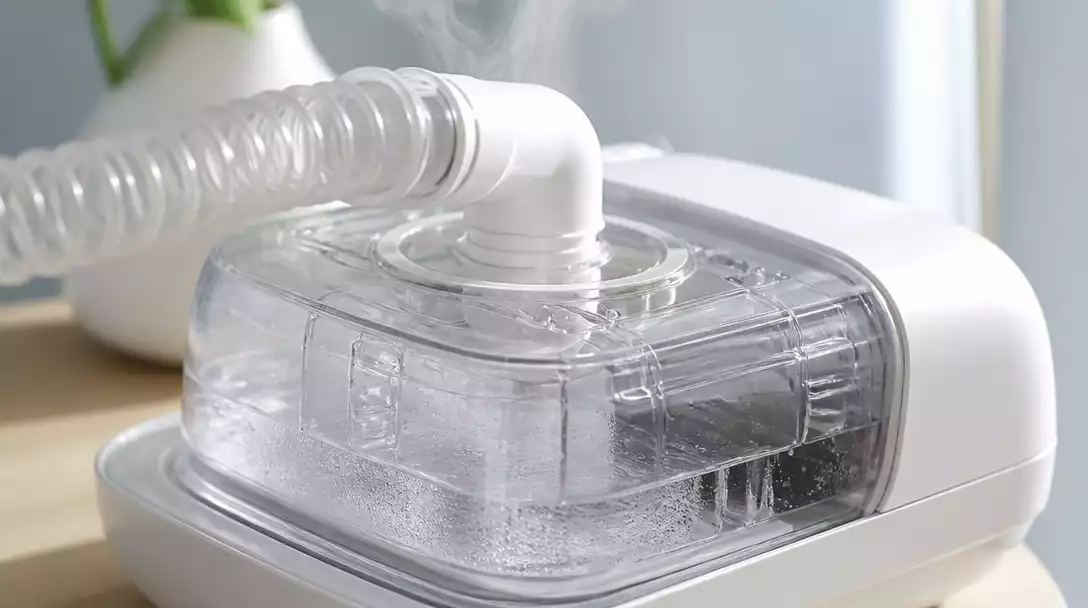
How Does the Humidifier Heating System Work?
The heating system in the DreamStation Humidifier is designed to warm the water to provide soothing humidity during your sleep. It utilizes a heater plate that efficiently heats the water, allowing it to turn into vapor and mix with the air you breathe. This process is crucial for maximizing the benefits of humidity in your therapy.
- The heating system adjusts based on the ambient temperature of your room.
- It helps prevent condensation in the tubing, enhancing comfort.
- Heated humidification can significantly reduce discomfort during therapy.
By ensuring that the heated air is delivered consistently, the DreamStation Humidifier not only enhances your comfort but also promotes better compliance with your CPAP therapy. You’ll find that a well-humidified environment can lead to a more restful and uninterrupted night’s sleep!
Exploring the Benefits of Using a Heated Humidifier with CPAP Therapy
Using a heated humidifier like the DreamStation can dramatically improve your CPAP experience. One of the major advantages is the reduction of nasal and throat irritation, which can lead to better tolerance of the therapy. With the right humidification, you may also find it easier to breathe deeply and comfortably during the night!
- Reduced dryness and irritation in the airways.
- Improved sleep quality due to better breathing comfort.
- Enhanced overall effectiveness of CPAP therapy.
Additionally, users often report waking up feeling more refreshed and less congested when using a heated humidifier. This improved comfort and effectiveness can significantly enhance your overall sleep experience, helping you stay compliant and reap the full benefits of your therapy.
Pro Tip
Did you know? Regularly cleaning the water chamber of your DreamStation Humidifier not only extends the lifespan of the device but also ensures that the humidified air you breathe is free from bacteria and mold. Aim to clean it at least once a week for optimal performance!
Frequently Asked Questions About the DreamStation Humidifier
- Q: What is the primary benefit of using a DreamStation Humidifier with CPAP therapy?
- A: The primary benefit is alleviating dryness and irritation often caused by CPAP therapy, providing comfort and improving overall treatment effectiveness by adding moisture to the air.
- Q: How does the DreamStation Humidifier improve sleep quality?
- A: By providing heated, humidified air, it prevents nasal congestion and throat dryness, making breathing more comfortable. This leads to reduced irritation, better compliance with therapy, and a more restful night’s sleep.
- Q: Can I adjust the humidity settings on my DreamStation Humidifier?
- A: Yes, the DreamStation Humidifier features adjustable humidity settings, allowing you to tailor the moisture levels to your personal preferences and needs.
- Q: What should I do if my DreamStation Humidifier is not heating?
- A: First, check the power supply and connections. Also, verify that the water chamber is correctly placed, inspect the heater plate for any error codes, and ensure your therapy settings are active. If issues persist, consult the user manual or customer support.
- Q: How often should I clean the water chamber of my DreamStation Humidifier?
- A: It is recommended to clean the water chamber at least once a week to prevent bacteria and mold buildup, ensuring optimal performance and hygienic humidified air.
Recap of Troubleshooting Steps and Solutions
It can be quite frustrating when your DreamStation Humidifier doesn’t heat properly. Here’s a quick recap of the essential steps to troubleshoot and ensure your humidifier is in working order:
- Check the power supply and connections to make sure everything is plugged in securely.
- Verify that the water chamber is placed correctly.
- Inspect the heater plate for any error codes or alerts.
- Review your settings to confirm that therapy is active.
Going through these steps systematically can often resolve heating issues and get your humidifier back to providing the comfort you need during CPAP therapy. For more troubleshooting tips on other devices, you might find our guide on Homedics humidifier not working helpful.
Next Steps: Keeping Your DreamStation Humidifier in Optimal Condition
Resources for Ongoing Support and Troubleshooting
To help you maintain your DreamStation Humidifier, I recommend utilizing available resources for ongoing support. Here’s a list of helpful tools:
- Philips customer support for technical issues or detailed inquiries.
- Online forums and communities for sharing experiences with other users.
- Video tutorials that illustrate troubleshooting techniques for common problems.
These resources can provide you with valuable insights and solutions, ensuring your device runs smoothly.
Encouragement to Share Experiences and Seek Further Help
Don’t hesitate to reach out and share your experiences with your DreamStation! Whether you’ve encountered a common issue or found a unique solution, your insights can help others facing similar challenges. Engaging with our community can often lead to unexpected solutions and support. If you’re encountering issues like a humidifier sensor not working, sharing your experience can be particularly valuable.
If you’re still struggling with heating problems after troubleshooting, please seek further help. It’s crucial to get back to enjoying your therapy without interruptions.
Accessing User Manuals and Customer Support for Your CPAP Machine
Lastly, don’t forget to regularly check the user manual for your machine. It contains important information about maintenance, settings, and troubleshooting. You can usually find PDFs of the manuals online on the Philips website.
If you need assistance, contacting customer support is always a smart move. Their knowledgeable staff can guide you through specific issues related to your device, ensuring you get the best performance from your DreamStation Humidifier.
Recap of Key Points
Here is a quick recap of the important points discussed in the article:
- The DreamStation Humidifier enhances comfort during CPAP therapy by adding moisture to the air.
- Its compact design and adjustable humidity settings make it easy to use and customize.
- The heating system prevents condensation and ensures a consistent delivery of humidified air.
- Using a heated humidifier can significantly reduce nasal and throat irritation, improving sleep quality.
- Regular troubleshooting steps can help resolve heating issues effectively.
- Utilizing available resources and support can help maintain the humidifier in optimal condition.



