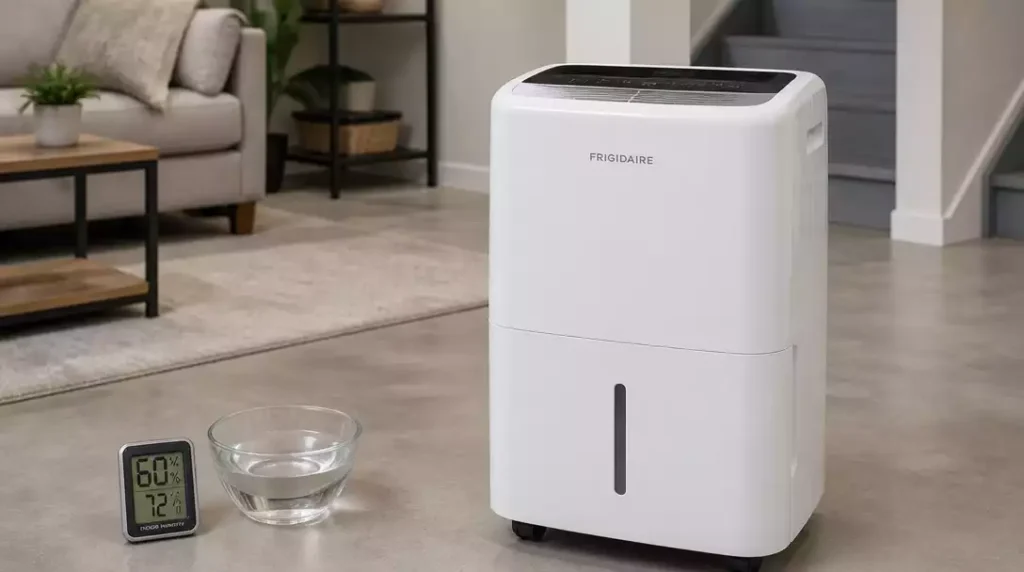
Have you ever found yourself frustrated with a household appliance that just won’t cooperate? Understanding the common issues with your Frigidaire dehumidifier could save you time and hassle, allowing you to enjoy a more comfortable living environment.
What You Will Learn
- Recognize typical symptoms of a malfunctioning dehumidifier, including lack of power and poor water collection.
- Learn the essential troubleshooting steps for power issues, such as checking the outlet and power cord.
- Identify common reasons why your dehumidifier might not be collecting water and how to resolve them.
- Understand how to address drainage problems by inspecting the drain hose for blockages and ensuring proper positioning.
- Familiarize yourself with error codes displayed by your dehumidifier and the appropriate actions to take.
- Discover the importance of maintaining optimal indoor humidity levels and the role of your dehumidifier in this process.
- Explore tips for minimizing noise and improving the overall performance of your dehumidifier.
Identifying the Issues: Why Your Frigidaire Dehumidifier Is Not Working
If your Frigidaire dehumidifier isn’t performing as expected, it can be frustrating. Many homeowners experience similar issues, and understanding common symptoms is the first step toward finding a solution. From having no power to problems with water collection, let’s dive into what might be going wrong.
Here are some typical symptoms you might encounter:
- No power to the unit
- Not collecting any water
- Draining issues
- Insufficient humidity control
Each of these symptoms can stem from different problems, so it’s important to pinpoint the exact issue before attempting any fixes. If you’re looking for broader guidance, learn how to fix a dehumidifier with general troubleshooting steps.
Common Symptoms of a Non-Functioning Dehumidifier
When your dehumidifier isn’t working properly, it tends to show some obvious signs. For example, if you notice that the unit is running but not collecting water, this could mean the water bucket isn’t seated correctly or the filter is clogged. Pay attention to these details!
Another symptom is insufficient humidity control. If you find that the air in your home feels damp despite the dehumidifier running, it may not be removing moisture effectively. Let’s break down these issues further.
Power Problems: Troubleshooting No Power Issues
If your dehumidifier shows no signs of life, it could be a power issue. Start by checking the outlet where your unit is plugged in. Ensure that it’s functioning by testing it with another device.
- Check the circuit breaker to see if it has tripped.
- Inspect the power cord for any visible damage.
- Try plugging the dehumidifier into a different outlet.
By following these steps, you can often identify whether the problem is with your dehumidifier or the power source itself. If it’s still not working, it might be time to consider other troubleshooting options. Sometimes, the issue could even be with the dehumidifier compressor not working, which requires specific attention.
Step-by-Step Troubleshooting Process for Frigidaire Dehumidifiers
Once you’ve identified the common symptoms, it’s time to delve into specifics. If your dehumidifier isn’t collecting water, there are several possible causes to investigate.
Why Isn’t Your Dehumidifier Collecting Water?
If your dehumidifier is running but not collecting water, it can be due to a few reasons. First, ensure the water bucket is seated correctly. A bucket that isn’t positioned properly can prevent water collection. Cleaning the filter is also essential, as a clogged filter can hinder performance.
- Check if the bucket is aligned and securely in place.
- Clean or replace the filter as needed.
- Ensure the room temperature is above 65°F for optimal operation.
By addressing these factors, you can help your Frigidaire dehumidifier work more efficiently. Remember, sometimes a simple fix can lead to significant improvements!
Fixing Drainage Issues in Your Dehumidifier
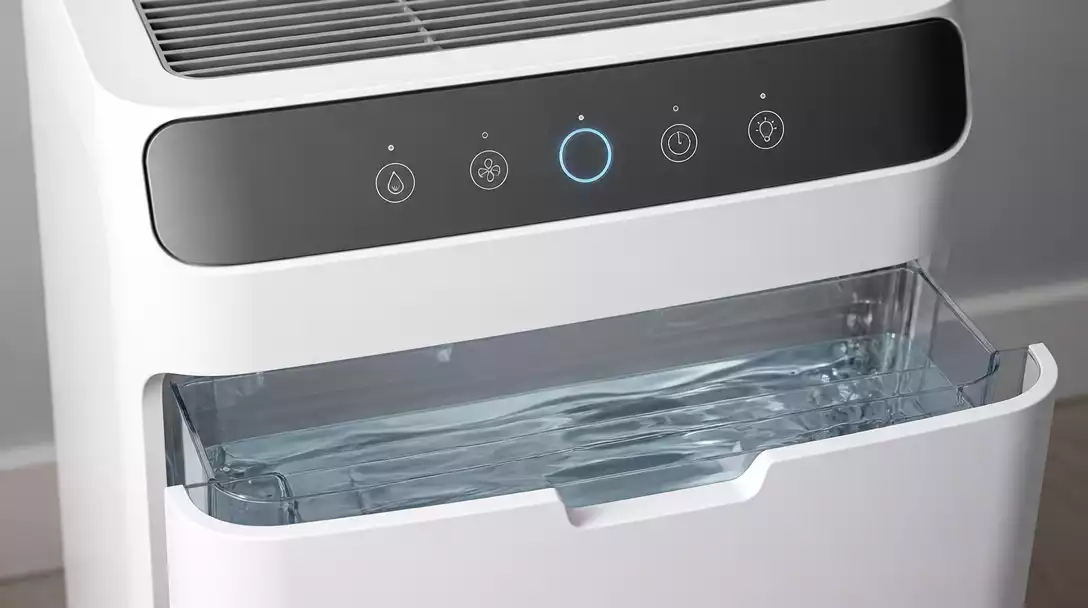
Another area to consider is drainage. If your dehumidifier isn’t draining properly, you might face water accumulation in the bucket. Check for any kinks in the drain hose that could prevent proper drainage.
- Inspect the drain hose for blockages.
- Ensure that the hose is correctly positioned for continuous drainage.
- Look for any signs of wear or damage to the hose.
By verifying these elements, you can pinpoint the cause of drainage issues and take appropriate action to restore your unit’s functionality.
Understanding and Resolving Error Codes
Your dehumidifier may display error codes that indicate specific problems. Familiarizing yourself with these codes is crucial for effective troubleshooting. For instance, if you see a “bucket full” error but the bucket is empty, this could suggest a faulty sensor.
- Review the user manual for a list of error codes.
- Follow the recommended steps for each code.
- Reset the unit if necessary after resolving the issue.
Taking these steps can help you resolve common problems quickly and effectively, avoiding unnecessary frustration.
Maintaining Indoor Humidity Levels: The Role of Your Dehumidifier
Maintaining optimal humidity levels is essential for preventing mold growth and improving indoor air quality. Your dehumidifier plays a crucial role in moisture control, and understanding its function can help you maximize its efficiency.
Regular maintenance not only keeps your dehumidifier working smoothly but also protects your home from the adverse effects of high humidity. Moisture control is key to a comfortable living environment!
Addressing Performance Issues: Noise Levels and Temperature Settings
If you’re experiencing unusual noise levels from your dehumidifier, there may be a few factors at play. Whether it’s a rattling sound or excessive humming, addressing these issues can improve your unit’s performance.
- Check for loose parts or debris around the unit.
- Adjust the temperature settings to ensure optimal operation.
- Consider the placement of the dehumidifier to minimize noise.
With a bit of investigation and adjustment, you can often eliminate unwanted noise and ensure your dehumidifier is running as quietly as possible.
Pro Tip
Did you know? Regularly cleaning the coils of your dehumidifier can significantly improve its efficiency and lifespan. Dust and dirt can accumulate on the coils, hindering their ability to absorb moisture effectively. Make it a habit to check and clean them every few months for optimal performance!
Frequently Asked Questions About Frigidaire Dehumidifiers
- Q: My Frigidaire dehumidifier has no power. What should I check first?
- A: Start by checking the electrical outlet with another device to ensure it’s working. Then, inspect the dehumidifier’s power cord for damage and check your home’s circuit breaker to see if it has tripped.
- Q: Why is my Frigidaire dehumidifier running but not collecting water?
- A: This could be due to several reasons: the water bucket might not be seated correctly, the air filter could be clogged, or the room temperature might be too low (below 65°F) for optimal operation. Ensure the bucket is properly aligned and clean or replace the filter.
- Q: What should I do if my dehumidifier is showing an error code?
- A: Refer to your dehumidifier’s user manual for a list of error codes and their corresponding troubleshooting steps. After resolving the issue, you may need to reset the unit.
- Q: How often should I clean my Frigidaire dehumidifier’s filter?
- A: It’s recommended to clean your dehumidifier’s filter every few weeks, or more frequently if it’s operating in a dusty environment, to maintain optimal performance and efficiency.
- Q: Can I use my Frigidaire dehumidifier in a cold basement?
- A: Most Frigidaire dehumidifiers operate best at temperatures above 65°F. Using them in colder environments can reduce their efficiency or even cause the coils to freeze, leading to poor performance. For basements, consider when to use a dehumidifier specifically in that environment.
Recap and Key Takeaways for Frigidaire Dehumidifier Troubleshooting
Throughout this article, we’ve highlighted essential steps to troubleshoot your Frigidaire dehumidifier. Remember, starting with the basics—like checking power sources and ensuring your unit is level—can often save you time and frustration. Proper maintenance, such as regular filter cleaning and keeping the bucket seated correctly, is vital for optimal performance. Staying proactive will help you avoid common problems! For more general maintenance tips, consider learning how to clean a dehumidifier effectively.
We’ve also discussed various error codes you may encounter and the necessary actions to take. This knowledge can empower you to handle issues quickly and efficiently. Think of these troubleshooting steps as your go-to guide for maintaining a healthy, functioning dehumidifier in your home!
Engaging Readers: Additional Resources and Support
If you’re looking for more information or need assistance, I highly recommend checking out the Frigidaire Owner Center. Here, you can find a treasure trove of resources such as manuals, replacement parts, and additional troubleshooting guides. Having access to these tools can make all the difference when you find yourself facing a challenge with your dehumidifier.
- Access user manuals for your specific model
- Order genuine replacement parts
- Explore troubleshooting guides tailored to common issues
These resources are invaluable for ensuring your dehumidifier continues to operate smoothly. Don’t hesitate to make use of them!
Join the Conversation: Share Your Experiences
I’d love to hear about your experiences with your Frigidaire dehumidifier! Have you faced any challenges? What tips do you have for fellow users? Sharing your stories in the comments can create a sense of community and offer support to others experiencing similar issues. Together, we can troubleshoot and find solutions, enhancing our overall dehumidifier experience!
Exploring Customer Reviews: Insights on Dehumidifier Performance
Before investing in a new dehumidifier or considering repairs, take a moment to look at customer reviews. Feedback from other users can provide insights on performance, reliability, and features you might not have considered. Hearing from real people who have navigated the same challenges can be incredibly helpful!
- Look for reviews that mention specific performance aspects
- Read about common issues and solutions from other users
- Consider ratings for customer service experiences
Ultimately, understanding how others have dealt with their dehumidifiers can guide you in making informed decisions, whether it’s troubleshooting your current model or choosing a new one.
Recap of Key Points
Here is a quick recap of the important points discussed in the article:
- Identify common symptoms of a non-functioning dehumidifier, such as lack of power and water collection issues.
- Troubleshoot power problems by checking outlets, cords, and circuit breakers.
- Ensure the water bucket is seated correctly and clean the filter to improve water collection.
- Inspect the drainage system for blockages and ensure the hose is positioned properly.
- Familiarize yourself with error codes to resolve issues effectively.
- Maintain optimal humidity levels to prevent mold growth and improve air quality.
- Address performance issues, including noise levels, by checking for loose parts and adjusting settings.