
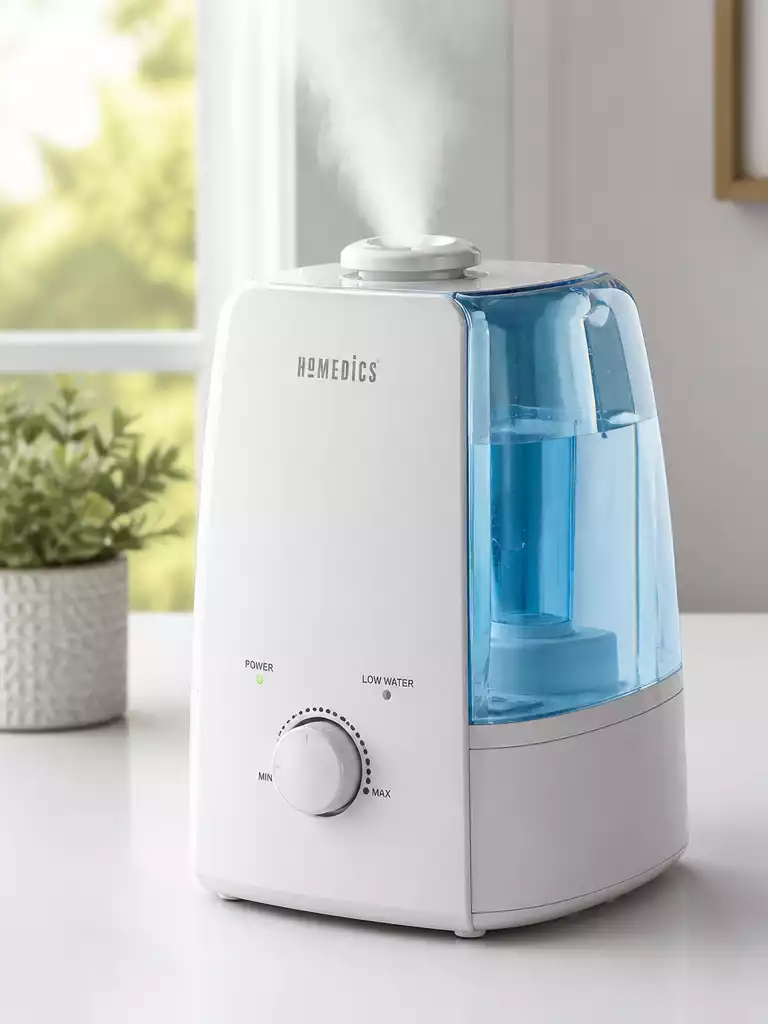
Did you know that maintaining your humidifier can greatly enhance its performance and lifespan? Understanding how to properly reset your HoMedics humidifier is essential for enjoying a comfortable environment at home.
What You Will Learn
- Recognize key indicators that signal your HoMedics humidifier needs a reset, such as persistent clean light alerts and red light indicators.
- Follow a straightforward, general reset process that applies to most models of the HoMedics humidifier for effective troubleshooting.
- Access model-specific reset instructions to ensure you are following the correct steps for optimal performance.
- Understand the importance of regular maintenance and proactive cleaning to prevent unnecessary alerts and ensure smooth operation.
Understanding the HoMedics Humidifier Reset Process
Every humidifier owner knows that occasional hiccups can occur, especially with devices like the HoMedics humidifier. You might find yourself needing to reset your humidifier due to a few common issues. These can include clean light alerts that won’t turn off, persistent red light indicators, or simply no mist output when you need it most. Understanding these issues is the first step toward getting your humidifier back in working order!
Resetting your device is not just a matter of flipping a switch. It’s essential to understand the triggers that necessitate a reset. By familiarizing yourself with these common problems, you can effectively manage the performance of your humidifier and maintain a comfortable environment in your home.
Why You May Need to Reset Your HoMedics Humidifier
- Clean light alert: If the clean light stays on despite regular maintenance, it may require a reset.
- Red light indicator: A persistent red light can signal issues that need addressing before using your humidifier again.
- No mist output: When your humidifier fails to produce mist, a reset could restore functionality.
In my experience, these alerts can sometimes be misleading, and resetting the device often clears the confusion. It’s important to remember that each model may have its own set of alerts, but the general principles of troubleshooting remain similar across the board.
Common Symptoms Indicating a Reset is Required
Recognizing the signs that your humidifier needs a reset can save you time and frustration. Some specific symptoms include blinking lights, unresponsive controls, or maintenance alerts that persist despite cleaning. These indicators often suggest that the system isn’t functioning as it should.
When faced with these issues, it’s essential to take a proactive approach. Resetting your humidifier can be the key to resolving these frustrating symptoms and restoring your device to optimal performance. If you notice these issues, it might be time to take action!
Step-by-Step Guide to Reset Your HoMedics Humidifier
General Reset Instructions for Most Models
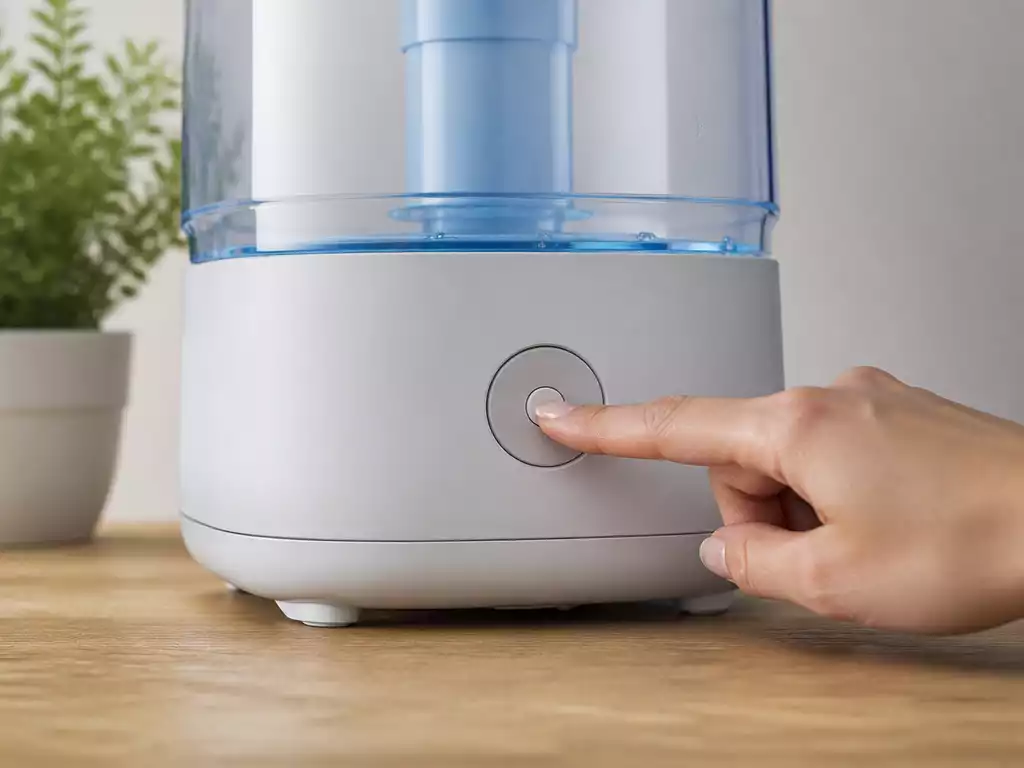
Resetting your HoMedics humidifier generally follows a straightforward process, regardless of the model. Here are the steps to guide you through:
- Turn off the humidifier and unplug it from the wall.
- Wait for about 10 seconds to ensure a complete power cycle.
- Press and hold the reset button (if available) for about 5 seconds.
- Plug the unit back in and turn it on.
Following these steps can help clear any temporary issues and get your humidifier back in working order. Each step plays an important role in ensuring that the device resets effectively.
Model-Specific Reset Instructions
Different models of HoMedics humidifiers may have varying reset procedures. To help you out, I’ve compiled a quick reference table below that outlines unique steps and timing for each model.
| Model | Reset Steps | Timing |
|---|---|---|
| HoMedics UHE-WM70 | Power off, unplug, press reset | 10 seconds |
| HoMedics UHE-WM18 | Turn off, unplug, hold reset for 5 seconds | 15 seconds |
| HoMedics UHE-CM65 | Off, unplug, wait, plug back in | 20 seconds |
By referring to this table, you can easily execute the correct reset for your specific model, ensuring that you’re following the right process.
How to Handle the Clean Light Reset
After addressing the clean light alert, it’s vital to reset it properly. To handle the clean light reset, follow the initial reset steps mentioned above. Once the unit is powered on, check if the alert light has turned off. If it remains lit, it may indicate further maintenance is required.
Regularly checking the water levels and cleaning the tank can help prevent the clean light from activating unnecessarily. This proactive approach can ensure your humidifier runs efficiently.
Fixing the Red Light Indicator
The red light indicator can be alarming, but it usually signifies a maintenance need. To address this, start with the basic reset process. If the red light persists, check for clogs in the water tank or filters and clean them thoroughly. Sometimes, buildup can trigger alerts that aren’t directly related to a malfunction.
Taking these steps may save you time and help maintain the longevity of your humidifier! Remember, consistent upkeep is key to optimal performance.
Pro Tip
Did you know? Regularly descaling your HoMedics humidifier can significantly reduce the chances of encountering persistent alerts like the clean light or red light indicators. Using a mixture of vinegar and water to clean the tank can help dissolve mineral buildup, ensuring optimal performance and a longer lifespan for your device.
Frequently Asked Questions About Resetting Your HoMedics Humidifier
- Q: Why do I need to reset my HoMedics humidifier?
- A: You might need to reset your humidifier to address common issues such as a persistent clean light alert, a red light indicator, or a lack of mist output. Resetting can clear temporary glitches and restore functionality.
- Q: What are the common indicators that my humidifier needs a reset?
- A: Common indicators include blinking lights, unresponsive controls, maintenance alerts that persist despite cleaning, and no mist production.
- Q: Is there a general reset process that works for most HoMedics models?
- A: Yes, a general reset process involves turning off and unplugging the humidifier, waiting about 10 seconds, pressing and holding the reset button (if available) for 5 seconds, then plugging it back in and turning it on.
- Q: How do I handle a persistent clean light alert after cleaning?
- A: After cleaning, follow the general reset steps. If the clean light remains on, it might indicate further maintenance is required. Regularly checking water levels and cleaning the tank can prevent this alert.
- Q: What should I do if the red light indicator stays on after a reset?
- A: If the red light persists after a reset, check for clogs in the water tank or filters and clean them thoroughly. Mineral buildup can often trigger this alert, even if there isn’t a direct malfunction.
Recap of Key Reset Procedures for HoMedics Humidifiers
In this article, we’ve covered important reset procedures for your HoMedics humidifier. Keeping your humidifier functioning properly is essential, especially during dry seasons. Here’s a quick summary of the essential steps you should remember:
- Power off the device before starting the reset process.
- Unplug the unit from the wall for safety.
- Locate and press the reset button specific to your model.
- Check for any indicator lights that may require further action.
Following these steps can help restore functionality and ensure your humidifier is working efficiently. Additionally, remember to keep an eye out for symptoms that indicate a reset might be needed, such as blinking lights or lack of mist output.
Encouragement to Keep Your Humidifier Functioning Smoothly
As we wrap up, I want to encourage you to prioritize the regular cleaning and maintenance of your HoMedics humidifier. This simple practice not only enhances performance but also extends the lifespan of your device. Make it a habit to check the water levels, clean the tank regularly, and replace filters as recommended. By doing this, you can ensure that your air quality remains fresh and your humidifier runs smoothly.
Keeping your humidifier in top shape allows you to fully enjoy the benefits of improved air quality in your home. If you have questions or need more tips, feel free to reach out. I’m here to help you with any concerns you might have about your device!
Call to Action: Share Your Experience
I’d love to hear from you! Have you recently reset your HoMedics humidifier? Did you find any tips in this article particularly helpful? Please share your experiences or any questions you might have in the comments below. Your insights can help others facing similar challenges, and together we can create a supportive community for all humidifier users!
Recap of Key Points
Here is a quick recap of the important points discussed in the article:
- Power off the humidifier and unplug it before starting the reset process.
- Wait for about 10 seconds to ensure a complete power cycle.
- Press and hold the reset button specific to your model for the required time.
- Keep an eye out for indicator lights that may require further action.
- Regularly clean and maintain your humidifier to prevent issues.



