
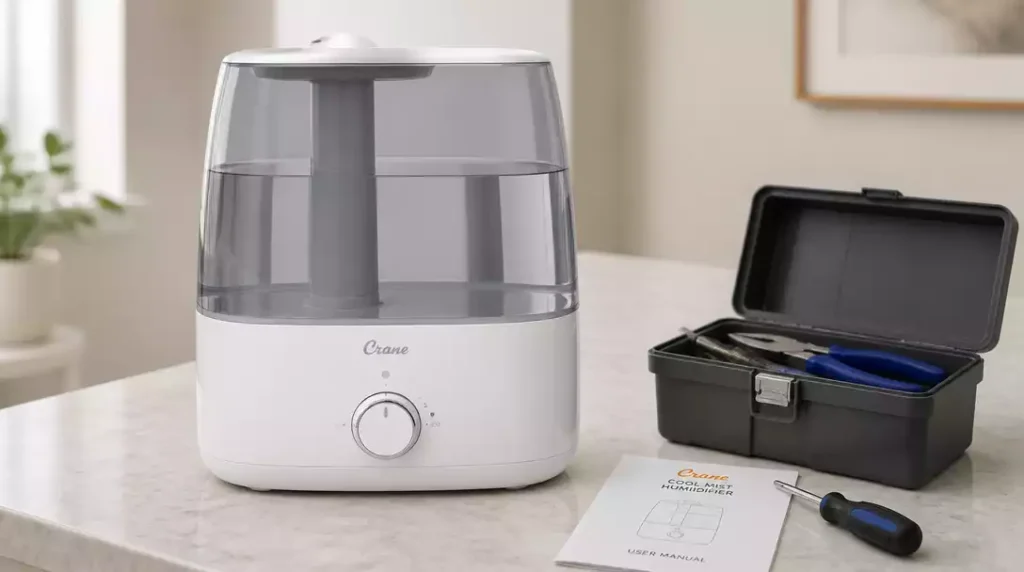
Have you ever found yourself puzzled by a seemingly unresponsive humidifier? You’re not alone; many users face similar challenges. This guide will illuminate common issues and solutions for your Crane humidifier, helping you restore its functionality quickly!
What You Will Learn
- Identify common reasons why your Crane humidifier may not turn on, including power supply issues and improper tank placement.
- Learn the essential checks to perform on power supply, buttons, and settings to troubleshoot effectively.
- Understand the importance of correct water tank placement and maintaining optimal water levels for functionality.
- Discover cleaning and maintenance practices that extend the life and efficiency of your humidifier.
- Recognize when to seek professional help, ensuring you address underlying issues before they worsen.
Troubleshooting Your Crane Humidifier: Common Issues and Solutions
Having trouble with your Crane humidifier? You’re not alone! Many users face similar challenges. Let’s explore some common issues that might cause your humidifier not to turn on and how you can address them.
Before diving into specific troubleshooting steps, it’s essential to determine if the problem stems from the device itself or external factors. A systematic approach will help you identify the root cause more effectively.
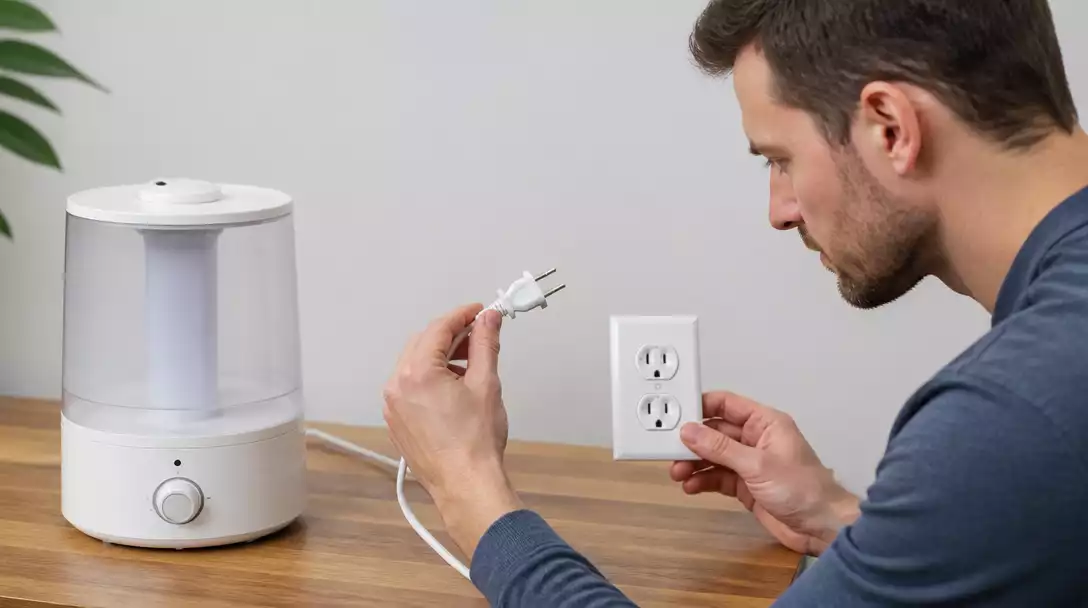
Why Your Crane Humidifier Won’t Turn On
There are several typical reasons why your Crane humidifier might refuse to power up. Here are some common culprits:
- Power supply issues
- Improper tank placement
- Insufficient water levels
If you’re experiencing this problem, don’t worry! I’ve gathered a few effective solutions that can help get your humidifier back in action.
Key Components to Check When the Humidifier is Unresponsive
Power Supply and Outlet Verification
The first thing you should do is check the power supply and the outlet. Follow these steps to ensure everything is in good working order:
- Test the outlet with another device to confirm it’s functional.
- Inspect the power cord for any visible damage.
- Try plugging the humidifier into a different outlet.
Once you’ve verified the power supply, you can move on to the next component.
Power Button and Control Check
Once you’ve confirmed your power supply is working, take a moment to check the power button and control settings:
- Ensure the power button is fully pressed.
- Check the control dial settings for the desired mist level.
- Look for any error lights that might indicate a specific issue.
These simple checks can often resolve the issue and get your Crane humidifier running smoothly again!
Assessing the Water Tank and Mist Chamber Position
Another common reason for a non-responsive humidifier is incorrect placement of the water tank and mist chamber. Here’s what to keep in mind:
Proper Tank Placement for Optimal Function
For your humidifier to work correctly, the water tank must be properly seated. Follow these guidelines:
- Ensure the tank is aligned with the base.
- Listen for a click sound confirming it’s securely in place.
- Check for any obstructions around the tank area.
Correct placement is crucial for optimal functionality, so double-check this step!
Checking Water Levels and Presence
It’s vital to ensure that there is enough water in the tank. Here are some points to remember:
- Always fill the tank to the recommended level.
- Inspect for any blockages that may prevent water flow.
- Rinse the tank regularly to remove mineral buildup.
Remember, your humidifier can’t function without sufficient water, so make this a part of your routine checks!
Understanding Humidity Levels and How They Affect Performance
Humidity levels in your home play a significant role in the effectiveness of your Crane humidifier. If the indoor air is already humid, the device may not turn on or may produce minimal mist. Monitoring humidity levels can help you adjust your humidifier settings appropriately.
Consider using a hygrometer to check your indoor humidity. Ideally, the humidity level should be between 30-50% for optimal comfort and health.
Cleaning and Maintenance: Essential Practices
Regular cleaning and maintenance are key to keeping your Crane humidifier running smoothly. Addressing any mineral buildup or sensor issues promptly can prevent operational problems down the line. Here are a couple of practices to keep in mind.
Addressing Mineral Buildup and Sensor Cleaning
Mineral buildup can hinder performance, and cleaning the sensors is essential. Here’s how to do it:
- Unplug the device from the power source and disassemble it according to the manufacturer’s instructions.
- Use a soft cloth and a vinegar solution to wipe away minerals.
- Gently clean the sensors with a damp cloth.
Regular cleaning ensures your humidifier runs efficiently and extends its lifespan!
Resetting Your Crane Humidifier
If you’re still encountering issues, resetting your humidifier can often resolve the situation. Here’s a step-by-step guide:
- Unplug the device from the power source.
- Wait for at least 10 minutes.
- Plug it back in and power it on.
A reset can help clear any temporary glitches that might be causing the problem!
Model-Specific Considerations for Your Crane Humidifier
Each Crane humidifier model may come with unique features or troubleshooting steps. Being aware of these differences can aid in effective troubleshooting.
Understanding Differences Between Crane Humidifier Models
When troubleshooting, it’s essential to recognize the specific model you own:
- Check if your model has additional features, like filters or smart settings.
- Refer to the user manual for model-specific troubleshooting advice.
- Consider different maintenance requirements based on the model.
Familiarizing yourself with your model can save you time and frustration!
Accessing User Manuals and Resources for Troubleshooting
If you need additional support, accessing user manuals and resources is crucial:
- Visit the Crane website for downloadable manuals.
- Look for troubleshooting guides specific to your model.
- Consider reaching out to customer support for personalized assistance.
These resources can provide valuable information and help resolve your issues quickly!
Identifying Electrical Issues: Circuit Breakers and Power Sources
Sometimes, the problem may lie with your home’s electrical system. It’s important to check for tripped circuit breakers or faulty power sources:
- Inspect your circuit breaker panel for any tripped switches.
- Ensure the electrical cord is not damaged and is firmly plugged in.
- Consider trying the humidifier in a different room or outlet.
Taking these steps can help you identify electrical issues that could be affecting your humidifier’s performance!
When to Seek Professional Help for Your Crane Humidifier
If you’ve gone through these troubleshooting steps and your humidifier is still not functioning, it may be time to contact customer support or consider repairs. Look out for signs such as:
- Persistent error messages despite following troubleshooting steps.
- Unusual noises or smells coming from the unit.
- Water leaking from the device.
Don’t hesitate to reach out for help! It’s better to get a professional opinion than to risk further damage.
Interactive Poll: Your Experience Matters!
Have you encountered any issues with your Crane humidifier? We’d love to hear your thoughts! Please share your experience below:
Wrapping Up: Ensuring Your Crane Humidifier Works Effectively
To keep your Crane humidifier running smoothly, it’s crucial to have a solid grasp of its common issues. I’ve compiled a quick diagnosis checklist to help you tackle any concerns that may arise. This way, you can enjoy the benefits of a well-functioning humidifier without any hiccups!
Quick Diagnosis Checklist for Crane Humidifier Issues
- Check the power outlet and ensure it’s working.
- Make sure the power button is pressed correctly.
- Verify that the water tank is seated properly.
- Inspect the water level to ensure there’s enough water.
- Look for any mineral buildup that may need cleaning.
By going through this checklist, you can easily identify any minor issues that might be affecting your humidifier’s performance. Remember, regular checks are key to avoiding more significant problems down the road!
Frequently Asked Questions About Crane Humidifier Troubleshooting
One common question I receive is, “Why is my Crane humidifier not turning on but the light is on?” This often points to a few potential issues, such as a misaligned water tank or a need for cleaning the sensors. If you find yourself facing similar questions, it’s a good idea to consult the user manual or reach out to customer support for specific guidance.
Other frequent inquiries include:
- How often should I clean my humidifier?
- What should I do if there’s no mist coming out?
- Can I use tap water in my Crane humidifier?
FAQs on Crane Humidifier Issues
- Why isn’t my Crane humidifier turning on?
- Common reasons include power supply issues, improper water tank placement, or insufficient water levels. Always check the power outlet, cord, and ensure the water tank is securely seated and filled.
- What should I do if my Crane humidifier’s light is on but it’s not misting?
- This typically indicates that the unit is receiving power but there’s an operational issue. Check for correct water tank placement, ensure sufficient water, and clean any mineral buildup on sensors. If it’s a Crane humidifier not steaming, a specific issue may be at play.
- How often should I clean my Crane humidifier?
- It’s recommended to clean your humidifier every few days, especially if used regularly, to prevent mineral buildup and mold growth. A thorough cleaning once a week is ideal.
- Can I use tap water in my Crane humidifier?
- While you can use tap water, it often contains minerals that can lead to white dust and buildup. Using distilled water is recommended to minimize mineral deposits and prolong the life of your humidifier.
- When should I contact customer support for my Crane humidifier?
- If you’ve tried all troubleshooting steps—checking power, tank placement, water levels, and cleaning—and the humidifier still isn’t working, or if you notice unusual noises, smells, or water leaks, it’s best to contact Crane customer support.
Encouraging Proper Humidifier Care and Maintenance
To extend the life of your Crane humidifier, proper care is essential. Here are some best practices:
- Clean the humidifier every few days to avoid mineral buildup.
- Use distilled water when possible to minimize scale.
- Store it properly when not in use to prevent damage.
By following these simple maintenance tips, you’ll help ensure that your humidifier remains effective and operates at peak performance for years to come!
Understanding Humidifier Types: Evaporative, Ultrasonic, and Steam Options
Not all humidifiers are created equal! Each type—evaporative, ultrasonic, and steam—offers different benefits and impacts indoor air quality in unique ways. Here’s a quick comparison:
- Evaporative: Uses a fan to blow air through a wet wick, which helps to humidify the air naturally.
- Ultrasonic: Employs ultrasonic vibrations to produce a cool mist, making it quieter and energy-efficient.
- Steam: Heats water to create steam, providing warm humidity but may consume more electricity.
Understanding these differences can help you choose the right humidifier for your needs, ensuring that your indoor environment remains comfortable and healthy.
Exploring Customer Experiences and Reviews for Crane Humidifiers
Hearing from other users can provide valuable insights! Many customers praise Crane humidifiers for their efficient mist output and easy maintenance. However, some common concerns include noise levels and the need for frequent cleaning. I always recommend checking reviews before making a purchase to see how a model performs in real-world conditions.
In my experience, honest feedback from users can help you make an informed decision, so don’t hesitate to dive into the customer reviews before settling on a humidifier model!
Recap of Key Points
Here is a quick recap of the important points discussed in the article:
- Check the power supply and outlet to ensure functionality.
- Verify that the power button and control settings are correctly adjusted.
- Ensure the water tank is properly placed and filled to the recommended level.
- Regularly clean the humidifier to prevent mineral buildup.
- Reset the humidifier if issues persist after troubleshooting.
- Consider model-specific features and consult user manuals for guidance.
- Monitor indoor humidity levels to optimize humidifier performance.
- Seek professional help if problems continue despite following troubleshooting steps.




Pingback: hupro humidifier not working