
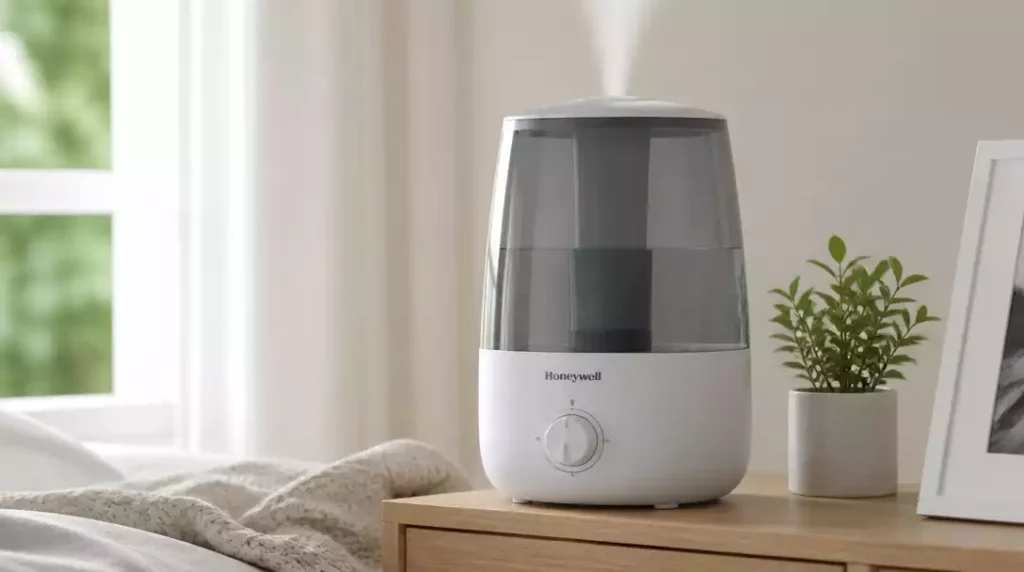
Understanding the operation of your Honeywell humidifier is crucial for maintaining a comfortable home environment. With the right knowledge, you can effortlessly enjoy the benefits of humidity control all year round. Here are the key takeaways to keep in mind!
What You Will Learn
- Powering your humidifier varies by model; familiarize yourself with the specific controls.
- Regular checks on water levels and maintenance are essential for optimal performance.
- Adjust humidity settings according to your comfort for better air quality.
- Properly turning off your humidifier can extend its lifespan and save energy.
- Utilize online resources and community support for troubleshooting and tips.
Honeywell Humidifier: Basic Operation
Getting to know your Honeywell humidifier is the first step toward maintaining a cozy and comfortable home environment. It’s not just about keeping the air moist; it’s also about enhancing your overall well-being. Let’s dive into how to easily power on and off your humidifier, ensuring it operates smoothly throughout the seasons.
Before we jump into the specifics, it’s essential to familiarize yourself with the different models you might have. Honeywell humidifiers come in various types, each with unique controls and features. By knowing how to properly operate your model, you’ll save time and enjoy the benefits of humidity without hassle!
How to Power On Your Honeywell Humidifier
Powering on your humidifier is often straightforward, but the method can vary depending on the model. Here are the steps for the most common types:
Step-by-Step Instructions for Button Models
- Locate the power button, usually marked with a power symbol.
- Press the button once to turn on the unit.
- If equipped, adjust the humidity settings using the plus or minus buttons.
Button models are user-friendly and typically have clear indicators for settings. If you encounter any issues, make sure the unit is plugged in properly!
Step-by-Step Instructions for Dial Models
- Turn the dial clockwise to the desired humidity level.
- Continue turning until you hear a click, indicating the humidifier is on.
- Adjust as needed throughout the day for optimal comfort.
Dial models offer a tactile experience, allowing you to feel the changes as you adjust humidity levels. This can be particularly helpful in fine-tuning your comfort level!
Powering On Whole-Home Models with Humidistats
- Ensure the power source is connected and the humidistat is operational.
- Adjust the humidistat to your preferred humidity level—this will automate the humidifier operation.
- Check the furnace or air conditioning system to ensure compatibility with your humidifier.
Whole-home models are ideal for maintaining consistent humidity levels throughout your space. They often work in tandem with your heating or cooling systems, giving you seamless comfort. For more advanced troubleshooting, you might find our guide on how to fix your Honeywell humidifier helpful.
How to Turn Off Your Honeywell Humidifier
When it’s time to turn off your humidifier, the process is just as simple as powering it on. Here’s how to do it effectively:
Turning Off Button and Dial Models
- For button models, press the power button to turn it off.
- For dial models, rotate the dial back to the “off” position.
It’s as straightforward as that! Remember, it’s good practice to turn it off when you don’t need it, helping to conserve energy.
Powering Down Whole-Home Humidifiers
- Adjust the humidistat to the “off” position.
- Disconnect the power supply if you will not be using it for an extended period.
By managing your whole-home humidifier properly, you extend its lifespan and keep your home’s air quality in check!
Pro Tip
To enhance the performance of your Honeywell humidifier, consider using distilled water instead of tap water. Distilled water contains fewer minerals, which can reduce the buildup of scale and keep your unit cleaner over time. This small change can lead to improved efficiency and longevity of your humidifier!
Summarizing Key Takeaways for Honeywell Humidifier Users
As a Honeywell humidifier user, it’s crucial to have a quick reference guide at your fingertips. This will help you operate your device smoothly and troubleshoot any minor issues that arise. Here are some essential points to keep in mind!
- Always check your power sources and connections before troubleshooting.
- Regularly inspect and maintain water levels in the tank.
- Be aware of optimal humidity levels for your indoor environment.
These takeaways can make a significant difference in the performance of your humidifier. By staying informed, you can ensure that your home remains comfortable and your humidifier operates effectively!
Quick Reference for Operating Your Humidifier
Here’s a handy list that outlines the basic operations of your Honeywell humidifier:
- Powering On: Use the designated button or dial based on your model.
- Setting Humidity Levels: Adjust settings according to your comfort preferences.
- Powering Down: Turn off using the same method you used to turn it on.
- Refilling Water: Keep an eye on the water level and refill as needed!
These simple steps will help you get the most out of your humidifier. Remember, a little bit of knowledge goes a long way in maintaining a comfortable home!
Essential Troubleshooting Tips to Remember
When it comes to troubleshooting, having a few quick tips can save you a lot of time and stress. Here are the most common issues and how to address them:
- Check if the unit is plugged in and the power outlet is functional.
- Make sure the water tank is properly seated and filled.
- If the humidifier won’t turn off, inspect the settings and controls.
- Consider resetting the unit to restore normal function.
Keeping these tips in mind can help you avoid unnecessary headaches and keep your Honeywell humidifier running smoothly. Trust me, a bit of preparation can turn potential problems into easy fixes!
Frequently Asked Questions About Your Honeywell Humidifier
Here are some common questions users have about operating their Honeywell humidifiers:
- Q: How do I know what type of Honeywell humidifier model I have?
- A: You can usually find the model number on a label located on the unit itself, often on the bottom or back. This number can help you find specific instructions in the user manual or online resources.
- Q: What is the optimal humidity level for my home?
- A: Most experts recommend maintaining indoor humidity levels between 40% and 60% to prevent issues like dry skin, static electricity, and mold growth.
- Q: Why is my humidifier not producing mist?
- A: Common reasons include a low water level, a clogged filter or wick, or issues with the power supply. Ensure the unit is properly filled, cleaned, and plugged in. If you see a red light, it might indicate a specific issue you can troubleshoot by checking our article on what a Honeywell humidifier red light means.
- Q: How often should I clean my Honeywell humidifier?
- A: It’s recommended to clean your humidifier tank every 1-2 days and perform a more thorough cleaning once a week to prevent mineral buildup and bacterial growth. For detailed instructions, refer to our guide on how to clean your Honeywell humidifier.
- Q: Can I use essential oils in my Honeywell humidifier?
- A: Unless your specific model is designed for essential oils (often called an aromatherapy diffuser), it’s generally not recommended to add them directly to the water tank, as they can damage the unit and void the warranty.
Taking Action: Get the Most Out of Your Honeywell Humidifier
To enhance your experience further, let’s explore some additional resources that can help you maximize the benefits of your Honeywell humidifier.
Explore Additional Resources for Enhanced Usage
There are various online resources available for Honeywell humidifier users. Here are some great options:
- Online user manuals specific to your model.
- Video tutorials on maintenance and troubleshooting.
- Community forums for sharing tips and experiences.
These resources can provide you with deeper insights and troubleshooting help that goes beyond basic operations. It’s always nice to have a support network!
Join Our Community for More Tips and Support
Don’t navigate this journey alone! Join our community where fellow Honeywell users share their tips, experiences, and advice. Here’s how you can get involved:
- Participate in online discussions about humidifier maintenance.
- Subscribe to newsletters for the latest updates and promotions.
- Share your own tips to help others in the community.
Being part of a community can enhance your knowledge and improve your experience with your humidifier significantly. We’re all in this together!
Understanding Energy Efficiency and Operating Costs
Energy efficiency is a hot topic these days, and rightly so! Knowing how to keep your energy costs down while using your Honeywell humidifier is important. Here are some key strategies:
How to Maximize Energy Savings with Your Humidifier
To ensure your humidifier runs efficiently:
- Use a humidistat to maintain optimal humidity levels without overworking the unit.
- Regularly clean filters and components to avoid buildup that can cause strain.
- Consider using your humidifier during cooler months when indoor air is drier.
These practices not only help with energy savings, but they also extend the life of your humidifier!
Evaluating the Noise Level and Comfort Impact on Your Space
Lastly, let’s talk about noise levels. Honeywell humidifiers are designed to operate quietly, but their noise can vary based on the model. Here’s what to consider:
- Choose models known for quiet operation if noise is a concern.
- Place your humidifier in a location where noise disruption is minimized.
- Monitor how the noise level affects your comfort and adjust accordingly.
Balancing energy efficiency and comfort will help you enjoy your humidifier even more. Embrace the journey to a cozier home!
Recap of Key Points
Here is a quick recap of the important points discussed in the article:
- Familiarize yourself with the specific model of your Honeywell humidifier for optimal operation.
- Power on your humidifier using the designated button or dial, and adjust humidity settings as needed.
- Always turn off the unit when not in use to conserve energy.
- Regularly check and maintain the water levels in the tank for effective performance.
- Utilize resources such as online manuals and community forums for additional support and troubleshooting.
- Implement energy-saving strategies, like using a humidistat and cleaning filters regularly, to enhance efficiency.



