
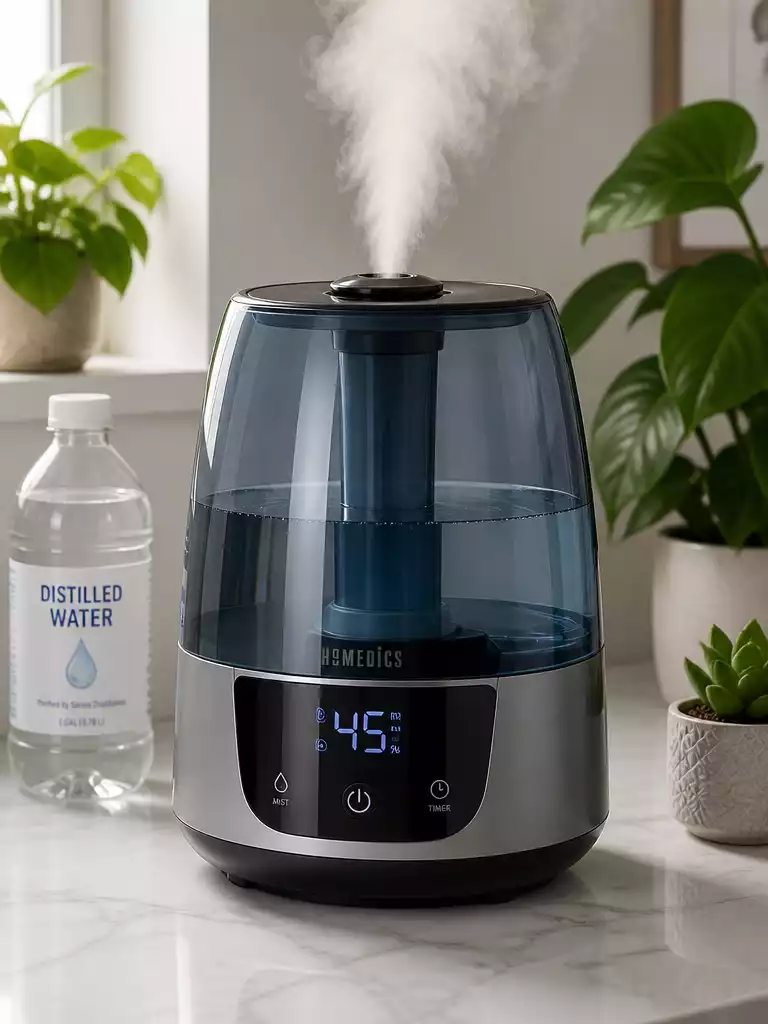
Have you ever found yourself frustrated when your humidifier stops working just when you need it most? Knowing how to troubleshoot these devices can save you time, money, and a lot of stress.
What You Will Learn
- Identify common signs of a malfunctioning HoMedics humidifier, such as no mist output or unusual sounds.
- Perform quick troubleshooting steps, including checking power connections and inspecting the water level.
- Understand the importance of regular maintenance, such as cleaning the tank and using distilled water.
- Recognize when to contact customer support or consider alternative humidifier options if problems persist.
Understanding the Common Issues of HoMedics Humidifiers Not Functioning
As someone who values a comfortable home environment, I understand how frustrating it can be when your HoMedics humidifier suddenly stops working. Many users encounter issues that range from inconsistency in mist production to complete power failures. It’s crucial to identify these common problems early on to ensure you’re getting the best performance from your device!
In this section, we’ll dive into common signs your humidifier might be struggling and provide you with practical troubleshooting steps. By understanding these issues better, you can maintain a cozy atmosphere in your home that supports your well-being.
Identifying the Signs: Why Is My HoMedics Humidifier Not Working?
Recognizing the symptoms of a dysfunctional humidifier is the first step toward resolving the issue. Many users report feeling confused when they notice something is off, such as a lack of mist or strange noises. Here are some typical signs that indicate your humidifier may not be functioning properly:
- No mist is being produced.
- The unit does not power on.
- Unusual sounds during operation.
- Water leaking from the base.
If you’re experiencing any of these issues, don’t panic! There are often simple solutions to get your humidifier back up and running.
Recognizing Symptoms of a Dysfunctional Unit
Some symptoms can be quite obvious, like a humidifier that won’t turn on. However, others might be less apparent, such as reduced mist output. To help you better understand what’s wrong, look out for:
- Weak or no mist output.
- Water not circulating properly.
- Persistent blinking lights.
By keeping a close eye on these signs, you can take action sooner rather than later!
Common User Questions: No Power or No Mist?
When users reach out for help, two questions often arise: “Why is my HoMedics humidifier not powering on?” and “Why is there no mist being produced?” Both issues can stem from various causes, such as:
- Power connection problems.
- Empty or improperly seated water tank.
- Clogged internal components.
Understanding these questions can set you on the right troubleshooting path, making it easier to restore your humidifier’s functionality.
Quick Troubleshooting Steps for HoMedics Humidifiers
If you find your HoMedics humidifier is acting up, there are several quick troubleshooting steps you can take to try to resolve the issue. With a bit of patience and the right techniques, many problems can be fixed easily!
- Check power connections.
- Inspect the water level.
- Reset the humidistat.
Let’s break these down further to ensure you have a comprehensive understanding of how to approach these common issues.
Power Issues: Checking Connections and Outlets
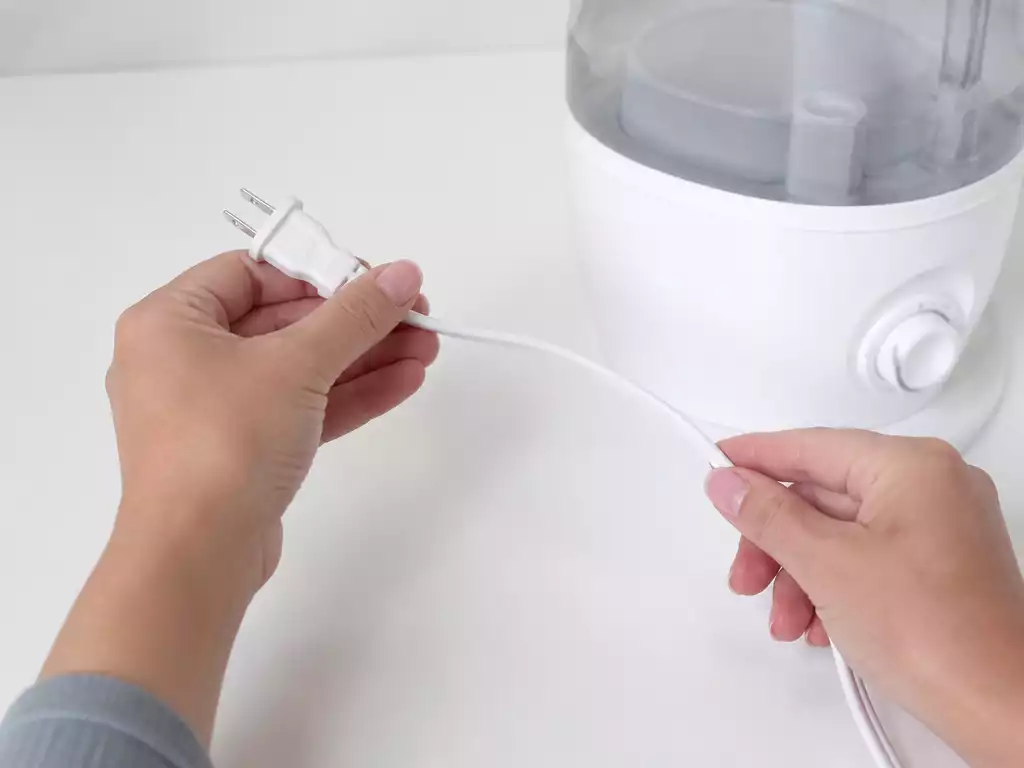
The first thing to check if your humidifier won’t turn on is the power connection. Make sure the unit is plugged into a functioning outlet. If it appears to be plugged in but still won’t power on, try a different outlet to eliminate the possibility of a faulty socket. Additionally, inspect the power cord for any signs of damage.
Sometimes, the solution can be as simple as plugging the unit into a different outlet! Make sure to double-check these connections before moving on to more complex troubleshooting.
Water Level: Ensuring Proper Refilling and Tank Checks
Another common issue is the water level. If you notice your humidifier isn’t producing mist, it could be due to an empty tank or improper seating. Ensure the tank is filled to the recommended level and securely attached to the base of the unit.
- Remove the tank and check for leaks.
- Refill the tank with clean water.
- Reattach the tank securely.
These simple steps can often resolve water-related issues and get your humidifier back to work!
Resetting the Humidistat: How and When to Do It
Resetting the humidistat can be beneficial if your humidifier is still not functioning correctly. Follow the manufacturer’s instructions for resetting, which usually involves powering off the unit for a few minutes and then turning it back on.
Doing this can clear any temporary errors and help the unit recalibrate itself. If issues persist after trying these steps, further troubleshooting may be necessary.
Cleaning and Maintenance Tips to Prevent Problems
Regular maintenance is key to prolonging the life of your HoMedics humidifier. Keeping it clean and properly maintained not only enhances performance but also prevents common issues from arising.
- Clean the tank regularly.
- Check the transducer for clogs.
- Use distilled water to minimize mineral buildup.
Following these maintenance tips can significantly reduce the likelihood of encountering problems with your humidifier, ensuring a more comfortable indoor environment!
Pro Tip
Did you know? Regularly cleaning your HoMedics humidifier not only prevents mineral buildup but also ensures that your device operates efficiently. A quick weekly clean can help maintain optimal humidity levels and improve your overall air quality!
Frequently Asked Questions About HoMedics Humidifier Issues
- Q: Why is my HoMedics humidifier not producing mist?
- A: This can be due to an empty water tank, improper seating of the tank, or a clogged transducer. Ensure the tank is filled and securely attached, and clean the transducer if necessary.
- Q: What should I do if my HoMedics humidifier won’t power on?
- A: First, check the power connection and ensure the unit is plugged into a functioning outlet. Try a different outlet and inspect the power cord for any damage. If issues persist, refer to the manufacturer’s instructions for resetting or contact customer support.
- Q: How often should I clean my HoMedics humidifier?
- A: It’s recommended to clean your humidifier regularly, ideally weekly, to prevent mineral buildup and ensure optimal performance and air quality. Using distilled water can also help reduce buildup.
- Q: Can I use tap water in my HoMedics humidifier?
- A: While you can use tap water, it’s highly recommended to use distilled water. Tap water contains minerals that can lead to mineral buildup (white dust) within the unit and in the air, requiring more frequent cleaning.
- Q: When should I contact HoMedics customer support?
- A: If you’ve tried all troubleshooting steps, including checking power, water levels, and cleaning, and your humidifier still isn’t working, it’s time to contact customer support or refer to your warranty services. Have your model number ready for faster assistance.
Wrapping Up Your HoMedics Humidifier Troubleshooting Journey
As we come to the end of our troubleshooting guide, it’s important to remember that keeping your HoMedics humidifier in top shape enhances both comfort and air quality in your home. Whether you’ve been struggling with power issues or mist production, having a clear plan in mind can be a game changer. Here are some key takeaways to help you effectively use your humidifier moving forward!
Key Takeaways for Effective Humidifier Use
Understanding how to manage your humidifier can really maximize its performance. Here are the essential troubleshooting steps to keep in mind:
- Check power connections and ensure the outlet is functional.
- Always refill the water tank to the appropriate level.
- Clean the transducer regularly to prevent mineral buildup.
- Use distilled water for optimal operation.
- Stay aware of the humidity levels in your space!
By following these simple steps, you can greatly improve the lifespan and efficiency of your humidifier. Regular attention to these details will keep your air fresh and comfortable!
Summary of Troubleshooting Steps to Remember
To summarize, troubleshooting your HoMedics humidifier is all about being proactive. Start with basic checks like power and water levels, then look into cleaning and maintenance to avoid future problems. Remember, a clean humidifier is a happy humidifier!
Importance of Regular Maintenance for Longevity
If you want your humidifier to last, it’s crucial to incorporate regular maintenance into your routine. Not only does it help prevent issues from arising, but it also ensures that your device operates at its best. Think of it as giving your humidifier a little TLC!
The Impact of Humidity Levels on Indoor Air Quality
Maintaining proper humidity levels can significantly impact your indoor air quality. Aim for a range between 30-50% to create a comfortable and healthy environment. By using your humidifier effectively, you can alleviate problems like dry skin, allergies, and respiratory issues—making every breath easier!
Next Steps: What to Do If Problems Persist
If you’ve tried everything and your humidifier still isn’t cooperating, don’t panic! There are a few avenues to explore. Let’s delve into what you can do next if problems persist.
When to Contact Customer Support or Warranty Services
Should you find yourself in a position where your humidifier remains unresponsive despite your best efforts, it may be time to reach out to customer support. Make sure to have your model number ready and describe the issues you’ve encountered. Utilizing warranty services can save you time and money!
Exploring Alternative Humidifier Options If Needed
If repairs aren’t feasible, consider looking for other humidifier options that fit your needs. There are many models available that might cater better to your specific requirements, whether you need something portable or more robust for larger spaces.
Considering Whole-House vs. Portable Humidifiers for Your Needs
When deciding on your next humidifier, consider how you plan to use it. Whole-house humidifiers are excellent for maintaining consistent humidity levels throughout your home, while portable models allow for flexibility in smaller spaces. Assessing your needs will help in making the right choice!
Recap of Key Points
Here is a quick recap of the important points discussed in the article:
- Identify signs of dysfunction, such as no mist, power issues, or unusual sounds.
- Check power connections and ensure the unit is plugged into a functional outlet.
- Regularly refill the water tank and ensure it is properly seated.
- Clean the humidifier and transducer to prevent mineral buildup.
- Maintain humidity levels between 30-50% for optimal indoor air quality.



