
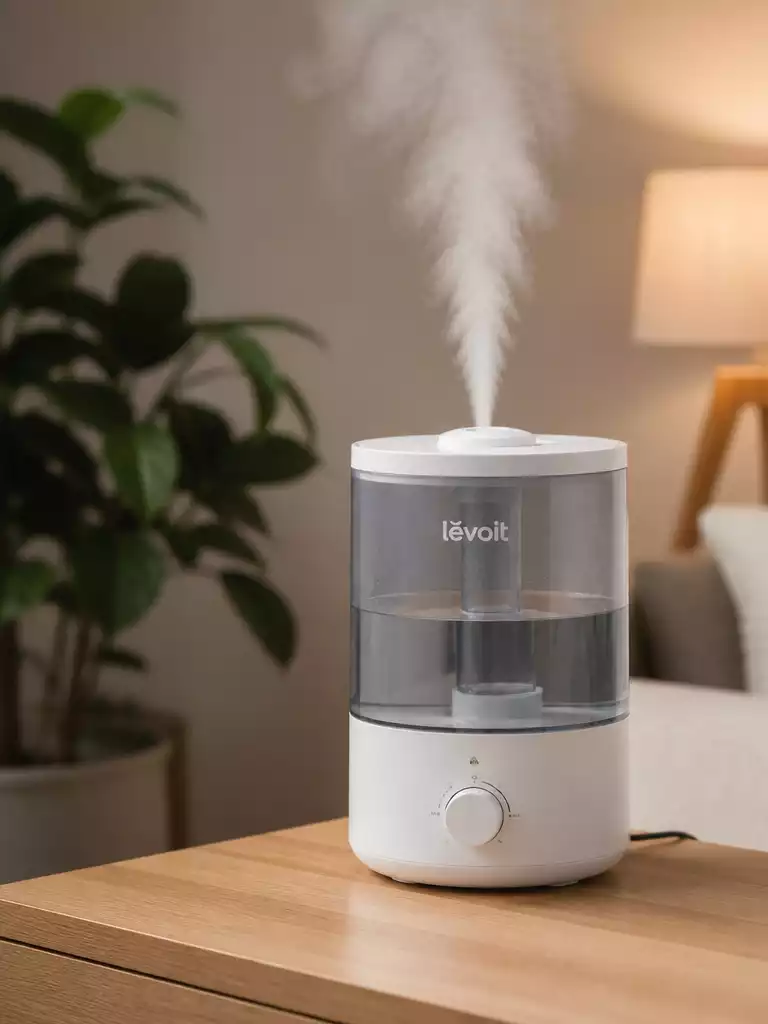
When your humidifier stops working, it can feel like a mystery waiting to be solved. Here’s a checklist of insights that can turn frustration into effective troubleshooting.
What You Will Learn
- Identify common symptoms of a non-functional humidifier, such as no mist discharge and power issues.
- Learn the importance of checking water levels and performing regular maintenance to prevent clogs.
- Understand when to repair or replace your humidifier by evaluating minor repairs versus advanced issues.
- Utilize manufacturer manuals and online resources for tailored troubleshooting solutions.
Understanding Why Your Cool Mist Humidifier Is Not Working
When your cool mist humidifier stops functioning, it can be frustrating, especially during dry seasons. Understanding the common symptoms is the first step in diagnosing the issue. In this section, we’ll explore what might be going wrong with your humidifier and how to troubleshoot the problem effectively.
Common Symptoms of a Non-Functional Humidifier
Recognizing the symptoms of a malfunctioning humidifier can save you time and effort. Here are some of the most common indicators:
- No mist discharge from the unit.
- Power issues indicated by blinking lights.
- Visible leaks or cracks in the water tank.
By identifying these symptoms early, you can take appropriate steps to remedy the situation. Let’s dive deeper into each symptom to understand what they mean and how to address them.
No Mist Discharge: What It Means and Possible Causes
If your humidifier is running but producing no mist, it can be quite alarming. This could indicate several problems, such as a clogged nebulizer or insufficient water levels. Checking the water supply is essential, as running the unit dry can lead to additional damage.
Moreover, if you notice that it’s been working harder than usual, it might just need a thorough cleaning to remove mineral buildup. Regular maintenance is key to keeping your humidifier in good shape!
Signs of a Power Issue: Blinking Lights and No Operation
Power issues can often be the culprit when your humidifier fails to operate. If you see blinking lights but the device remains unresponsive, it might be a connection problem. Always ensure the unit is plugged securely into a functional outlet.
Additionally, check the power cord for any signs of damage. A frayed cord can be unsafe and prevent your humidifier from working properly!
Leaks and Cracks: Identifying Water Problems in the Tank
Water leaks or cracks in the tank are clear signs of problems that need addressing. These issues can lead to water damage and mold growth. Inspecting the tank regularly ensures that it remains in good condition.
If you find any cracks, it may be time to replace the tank to avoid further complications. Remember, a well-maintained tank is essential for optimal humidifier performance!
Key Diagnostic Steps to Troubleshoot Your Humidifier
Now that we’ve identified the common symptoms, let’s look at some key diagnostic steps to troubleshoot your humidifier effectively. These steps will help you pinpoint the issue and get your device back to work!
- Check the power supply and connections.
- Adjust the water level in the tank.
- Measure the room’s humidity levels.
- Perform a cleaning for mineral buildup.
Taking these steps will guide you through resolving most common issues. Let’s break down each step to enhance your troubleshooting efforts!
Power Supply Checks: Ensuring the Unit Is Plugged In
First things first, double-check that your humidifier is plugged in! It sounds simple, but it’s easy to overlook. Make sure the outlet is working by testing it with another device.
If you find that the outlet is functional and your humidifier is still unresponsive, consider checking the power cord for any visible damages.
Water Level Adjustments: How Much Water Is Required?
Next, let’s talk about water levels. Most humidifiers require a specific amount of water to operate effectively. Refer to the manufacturer’s guidelines to ensure you’re filling it correctly. It’s also a good idea to empty and refill the tank regularly to avoid stagnation.
In addition, if the water level is too low, the humidifier will not produce mist, so keep an eye on that!
Understanding Humidity Levels: How They Affect Performance
Your humidifier’s performance can also be affected by the humidity levels in your room. If the air is already quite humid, the device may not work as effectively. Measuring the humidity level with a hygrometer can provide insight into whether your humidifier is necessary at that moment.
Understanding these levels allows you to make informed decisions about when to use your humidifier for the best results!
Cleaning and Maintenance: Tackling Mineral Buildup and Clogs
Finally, regular cleaning and maintenance are crucial to keeping your humidifier running smoothly. Over time, mineral buildup can clog the nebulizer and other components. Make it a habit to clean your humidifier every week to ensure it remains in top condition.
A simple vinegar solution can effectively break down mineral deposits, making your cleaning routine straightforward and effective!
Pro Tip
Did you know? Regularly changing your humidifier’s filters can significantly enhance its performance and extend its lifespan. Make it a habit to check your filters monthly and replace them as needed to ensure optimal air quality and efficiency!
When to Repair or Replace Your Humidifier
Deciding whether to repair or replace your humidifier can be a tough call! Sometimes, a simple fix is all it takes, while other times, investing in a new unit is the best choice. Let’s explore the key factors that will help you make an informed decision.
Understanding when repairs are worth it is crucial. In many cases, minor issues can be fixed without breaking the bank. However, if you notice ongoing problems, it might be time to consider a replacement.
Knowing When Repairs Are Worth It
When evaluating whether to repair or replace your humidifier, several aspects come into play. Knowing the cost-effective fixes versus replacement considerations can save you both time and money.
- Identify minor repairs: Cleaning or replacing filters often resolves issues.
- Check for warranty coverage: Sometimes, your unit may still be under warranty.
- Assess the age of your humidifier: If it’s older than five years, replacement may be more beneficial.
By considering these points, you can determine whether a simple fix might be all that’s needed, or if replacing the unit is the more prudent option.
Cost-Effective Fixes vs. Replacement Considerations
Cost-effective fixes can be a lifesaver! Here are a few fixes that often come to the rescue:
- Cleaning the nebulizer: A good cleaning can restore mist production.
- Replacing faulty parts: If a specific part is malfunctioning, it may be cheaper to replace just that component.
- Updating settings or replacing filters: Sometimes, it’s simply a matter of ensuring everything is set correctly.
However, if you’re facing advanced issues like sensor or motor failures, it may be more efficient to purchase a new unit. Consider your options carefully!
Identifying Advanced Issues: Sensor and Motor Failures
Sometimes, your humidifier can face more serious issues. If you’re experiencing persistent problems despite attempts to troubleshoot, it’s essential to identify advanced issues. Symptoms to look out for include:
- Frequent error messages or blinking lights.
- Unusual noises from the motor.
- Inconsistent mist output despite adequate water levels.
These signs often indicate that the sensors or motors are failing, which can lead to more significant issues down the line.
Evaluating Warranty Options and Replacement Parts
Before making your final decision, check your warranty options. If your humidifier is still covered, repairs might be as simple as contacting the manufacturer for support. Most warranties cover parts and repairs for a limited time, so it’s worth checking into.
Additionally, consider the availability of replacement parts. If the parts are reasonably priced and easy to find, repairing might be the way to go. On the other hand, if replacement parts are scarce or costly, it could be a sign that your humidifier’s days are numbered.
Resources for Further Help with Humidifier Troubleshooting
When your humidifier is giving you trouble, the right resources can make all the difference. Let’s dive into where to find the help you need!
Utilizing manufacturer manuals and guides is a great starting point. They often contain model-specific troubleshooting tips and operational guidelines!
Utilizing Manufacturer Manuals and Guides
Finding model-specific resources can save you time and energy. Here are some quick tips:
- Look for the manual in the box: If you still have the original packaging, manuals are often included.
- Visit the manufacturer’s website: Most companies offer downloadable manuals online.
- Check user forums: Many users share their experiences and solutions that can be incredibly helpful!
These resources can provide tailored solutions to common issues, helping you get your humidifier back in action quickly!
Quick-Fix Checklist: Your Go-To for Immediate Solutions
Having a quick-fix checklist handy can be your best friend during humidifier hiccups. Here’s a simple table to help guide you through the troubleshooting process:
| Symptom | Action |
|---|---|
| No mist | Clean the nebulizer and check for blockages. |
| Power issue | Verify the outlet and check power cords. |
| Leaks | Ensure proper seating of the water tank. |
Using this checklist can streamline your troubleshooting process, helping you identify and fix issues faster!
Summary of Fixes and When to Seek Professional Help
In summary, knowing when to seek professional help is just as important as knowing how to perform simple fixes. If you exhaust all DIY options and your humidifier still struggles, it may be time to call in the experts!
Whether you decide to repair or replace your humidifier, having the right information and resources at your fingertips makes all the difference!
Maintaining Optimal Air Quality with Your Humidifier
Let’s not forget the ultimate goal of using a humidifier: maintaining optimal air quality. This is essential for your comfort and health!
Understanding the role of filters in humidifier performance can help improve its efficiency. Regularly checking and replacing filters ensures that your humidifier operates effectively!
Understanding the Role of Filters in Humidifier Performance
Filters play a vital role in keeping your humidifier functioning well. Here are some key points to keep in mind:
- Filters trap impurities and minerals, preventing them from entering the air.
- Dirty filters can impede mist production and reduce air quality.
- Regular replacement is crucial for optimal performance.
By keeping filters in check, you can ensure that your humidifier works at its best!
Exploring the Health Benefits of Proper Humidity Levels
Maintaining proper humidity levels has numerous health benefits. Here’s why it matters:
- Prevents dry skin and irritation.
- Reduces the risk of respiratory issues.
- Improves overall comfort in your living space.
By understanding these benefits, you can appreciate the importance of keeping your humidifier in top shape!
Addressing Mold Growth: Prevention and Solutions
Mold growth can be a significant concern with humidifiers. To prevent this from happening, follow these tips:
- Regularly clean and disinfect your humidifier.
- Keep the water tank dry when not in use.
- Use distilled water to minimize mineral buildup.
Taking these steps will help ensure that your humidifier promotes healthy air quality rather than contributing to mold issues!
Frequently Asked Questions (FAQs)
- Q: Why is my humidifier not producing mist?
- A: This could be due to a clogged nebulizer, insufficient water levels, or mineral buildup. Check your water supply and consider thorough cleaning.
- Q: What should I do if my humidifier has power issues?
- A: First, ensure the unit is securely plugged into a functional outlet. Check the power cord for any visible damage. If blinking lights persist without operation, there might be an internal connection problem.
- Q: How often should I clean my humidifier?
- A: It is recommended to clean your humidifier weekly to prevent mineral buildup and mold growth. A simple vinegar solution can be effective for cleaning.
- Q: When is it better to replace a humidifier rather than repair it?
- A: Consider replacement if your humidifier is older than five years, if replacement parts are scarce or costly, or if you’re experiencing advanced issues like sensor or motor failures that are expensive to fix.
- Q: Can dirty filters affect my humidifier’s performance?
- A: Yes, dirty filters can significantly reduce your humidifier’s efficiency, impede mist production, and compromise air quality. Regular filter checks and replacements are crucial for optimal performance.
Recap of Key Points
Here is a quick recap of the important points discussed in the article:
- Identify common symptoms: No mist discharge, power issues, and leaks can indicate problems with your humidifier.
- Regular maintenance is crucial: Cleaning and checking water levels can prevent many issues from arising.
- Know when to repair or replace: Evaluate the cost of repairs versus the age and condition of your humidifier.
- Utilize resources: Manufacturer manuals and online forums can provide valuable troubleshooting assistance.
- Maintain optimal air quality: Regularly check and replace filters to ensure your humidifier operates efficiently and effectively.



